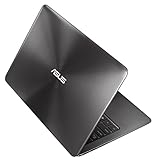
ASUS Eee PC 1002HA 10-Inch Netbook (1.6 GHz Intel Atom Processor, 1 GB RAM, 160 GB Hard Drive, 10 GB Eee Storage, XP Home) Brushed Aluminized
- Netbook Eee PC 1002HA offers even more options to users for unique user experiences. Featuring up to 5 hours of battery life, built in high speed connectivity and exclusive 10GB file-encrypted Eee Storage with easy accessibility makes it the ideal traveling companion for outdoor activities. The large 10" display provides comfortable viewing, and a large keyboard makes for easier typing and relaxing usage. Built-in camera ensures users stay in touch with the important ones. User friendly XP pre-loaded. ZBD Guaranteed for best quality LCD. Content includes Eee PC, battery, AC Adapter, Sleeve Case, Manual and Recovery CD.
List Price: $429.99 Our Price: $399.99 MORE INFO! |
DELL STUDIO SLIM DESKTOP and Dell S1909WX 19 inch Widescreen Flat Panel Monitor- Intel Core 2 Duo processor E7300 (3MB L2, 2.66GHz, 1066FSB), 4GB Dual Channel DDR2 SDRAM, 1TB Serial ATA Hard Drive (7200RPM), 16X DVD+/-RW Drive, ATI Radeon HD 3450 256MB supporting HDMI, Integrated 7.1 Channel Audio, Microsoft Works 9.0, Genuine Windows Vista Home Premium Edition
- DELL STUDIO SLIM DESKTOP and Dell S1909WX 19 inch Widescreen Flat Panel Monitor- Intel Core 2 Duo processor E7300 (3MB L2, 2.66GHz, 1066FSB), 4GB Dual Channel DDR2 SDRAM, 1TB Serial ATA Hard Drive (7200RPM), 16X DVD+/-RW Drive, ATI Radeon HD 3450 256MB supporting HDMI, Integrated 7.1 Channel Audio, Microsoft Works 9.0, Genuine Windows Vista Home Premium Edition
Our Price: $1,099.00 MORE INFO! |
Toshiba Satellite A505-S6973 16.0-Inch Laptop - Black/Grey
- For music, videos, games and more, the upscale Satellite A505 laptop gives you style, advanced entertainment performance and desktop-like versatility across a 16-inch diagonal HD TruBrite widescreen display. A great communications suite and advanced A/V ports keep you well connected, with plenty of freedom to expand and share. Toshiba “Smart” Features like a touchpad with multitouch control and USB Sleep and Charge help you do more. While advancements like a power-saving Eco Button and an LED-backlit display keep you energy smart. And it’s all wrapped up in a stunning Fusion Finish with Sonic pattern in Black Onyx so that it really stands out in a crowd.Replace your desktop PC with the Toshiba Satellite A505-S6973, which features a 16-inch diagonal HD TruBrite widescreen LED-backlit display, touchpad with multitouch control, power-saving Eco Button to help reduce power consumption based on your needs, USB Sleep-and-Charge ports, and a dual-layer DVD±RW drive that burns CDs and offers LabelFlash print functionality. The bright 16-inch LCD (1366 x 768) offers a true 16:9 aspect ratio and 720p native high-definition resolution, and the A505 is great for using as a media center with the touch-sensitive media keys placed above the keyboard. And it's sure to stand out in the crowd thanks to the stunning Fusion Finish with Sonic pattern in Black Onyx. Windows Vista Home Premium (64-bit version) is the operating system for users with advanced computer needs, and it includes all of the Windows Media Center capabilities for turning your PC into an all-in-one home entertainment center for watching DVD movies and accessing your digital audio library. You can also use Windows Media Center to record and watch your favorite TV shows (even HDTV) and to access new kinds of online entertainment content. Computers that include Windows Vista Home Premium and an auxiliary Windows SideShow display will also allow you to access key data even when your computer is off. It is also easier than ever to share files between other PCs in your household and to manage your laptop computer settings to more securely connect via Wi-Fi. Every edition of Windows Vista provides the essential tools and technologies to help protect you whether you are browsing the Internet, connecting to a wireless network, or just reading e-mail. All editions of Windows Vista include new tools that can warn you of impending hardware failures long before you have lost any important personal data. And, all Windows Vista editions include parental control features that allow you to manage and monitor your family's use of games, the Internet, instant messaging, and other activities.
List Price: $759.99 Our Price: $649.99 MORE INFO! |
Apple MacBook Pro MB990LL/A 13.3-Inch Laptop
- MacBook Pro brings high performance and precision design to everyone. Every new MacBook Pro features a breakthrough, long-lasting battery that delivers up to 7 hours of wireless productivity on a single charge and can be recharged up to 1000 times—nearly three times the lifespan of typical notebook batteries. The new LED-backlit display has a 60 percent greater color gamut than that of previous generations, giving you richer, more vibrant colors. Every MacBook Pro features the NVIDIA GeForce 9400M integrated graphics processor, which provides an outstanding graphics experience for everyday tasks. Power your way through the latest 3D games—including Call of Duty and Quake—and enjoy improved graphics performance with iWork, iLife, and everything you do in Mac OS X. And with the latest 2.26GHz Intel Core 2 Duo processor, it’s the most powerful Mac notebook ever. All in a precision aluminum unibody enclosure that’s less than an inch thin.Featuring a precision unibody enclosure crafted from a single block of aluminum, the MacBook Pro is thinner and lighter than its predecessor as well as stronger and more durable. But Apple didn't stop innovating with the body's design. The MacBook Pro also includes a new 13-inch, LED-backlit glass display (instead of an LCD panel) as well as a glass trackpad that doesn't include a button (for larger tracking area) that features Apple's Multi-Touch technology. Preloaded with Leopard and iLife '09 This MacBook Air is pre-loaded with the Mac OS X 10.5 Leopard operating system--and it's ready to run the Mac OS X 10.6 Snow Leopard operating system, which is scheduled to be released in September, 2009. Mac OS X 10.5 Leopard introduced a bevy of innovations--over 300 new features--including: - Time Machine, an effortless way to automatically back up everything on a Mac
- A redesigned Finder that lets users quickly browse and share files between multiple Macs
- Quick Look, a new way to instantly see files without opening an application
- Spaces, an intuitive new feature used to create groups of applications and instantly switch between them
- A brand new desktop with Stacks, a new way to easily access files from the Dock
- Major enhancements to Mail and iChat
Leopard's desktop includes the redesigned 3D Dock with Stacks, a new way to organize files for quick and easy access with just one click. Leopard automatically places web, email and other downloads in a Downloads stack to maintain a clutter-free desktop, and you can instantly fan the contents of this and other Stacks into an elegant arc right from the Dock. The updated Finder includes Cover Flow and a new sidebar with a dramatically simplified way to search for, browse and copy content from any PC or Mac on a local network. Time Machine lets you easily back up all of the data on your Mac, find lost files and even restore all of the software on their Mac. With just a one-click setup, Time Machine automatically keeps an up-to-date copy of everything on the Mac. In the event a file is lost, you can search back through time to find deleted files, applications, photos and other digital media and then instantly restore the file. It also comes with the iLife '09 suite of applications that make it easy to live the digital life. Use iPhoto to share entire high-res photo albums with anyone who's got an email address. Record your own songs and podcasts with GarageBand. Break into indie filmmaking with iMovie and iDVD. Then take all the stuff you made on your MacBook and share it on the web in one click with iWeb. Included Software Mac OS X v10.5 Leopard (includes iTunes, Time Machine, Quick Look, Spaces, Spotlight, Dashboard, Mail, iChat, Safari, Address Book, QuickTime, iCal, DVD Player, Photo Booth, Front Row, Xcode Developer Tools) iLife '09 (includes iPhoto, iMovie, iDVD, iWeb, GarageBand) What's in the Box MacBook Pro, display cleaning cloth, 60W MagSafe Power Adapter, AC wall plug, power cord, install/restore DVDs, printed and electronic documentation
List Price: $1,199.00 Our Price: $1,159.30 MORE INFO! |
HP G60-440US 16-Inch Laptop
- ELEMENTAL STYLE: Pared down to the essentials, the new G60 series is defined by minimalist lines. High-gloss reflective top cover and palm rest area surfaces contrast cleanly with matte everywhere else. HP Imprint finish in piano black on the top cover with silver across the palm rest and touchpad provides greater durability than traditional painted surfaces. The streamlined look is enhanced with a color-matched keyboard and touchpad. HP¿s mobile products have won coveted International Red Dot, iF and CES Innovation design awards and been recognized by other leading design institutions. SIMPLY ENTERTAINING: The HP G60 series delivers easy-to-use entertainment. Enjoy full-screen DVD playback on the crystal-clear 16:9 16.0" diagonal HP Brightview display. Burn audio CDs and DVDs to share your favorite songs and video clips with friends and family. Built-in Altec Lansing speakers bring your entertainment to life. And the 5:1 digital media reader enables photo transfer in seconds. It¿s time to play! What's in the box: G60-440us laptop, 65W AC Adapter, 6-Cell Lithium-Ion battery, Symantec Norton Internet Security 2009 with 60 days complimentary live update, Microsoft Works, HP DVD Play. Muvee Reveal, Cyberlink DVD Suite, Adobe Acrobat Reader and HP Games Powered by Wild Tangent
List Price: $822.00 Our Price: Too low to display MORE INFO! |
Toshiba Satellite A355-S6931 16.0-Inch Laptop
- For anyone who needs a versatile, affordable laptop that strikes the right balance between work and play, the Toshiba A355 laptop series hits all the right notes. Featuring an eye-catching design topped with a stylish high-gloss Fusion™ Finish surface, this laptop is equipped with ample system memory, a spacious hard drive, and the latest in dual-core processing power to give you the freedom to connect, be productive and enjoy your multimedia in more places. With its striking 16-inch high-definition widescreen display and superior sound quality, the A355 laptop series is built for multi-tasking and digital entertainment. The Toshiba A355-S6931 ships with Genuine Windows Vista Home Premium (SP1, 64 bit version), 2.13 GHz Intel Core 2 Duo P7450 Processor, 3MB L2 Cache, Mobile Intel GM45 Express Chipset, Mobile Intel Graphics Media Accelerator 4500MHD with 128MB-1759MB Dynamically Allocated Shared Graphics Memory, Configured with 4GB PC6400 DDR2 SDRAM, 320GB (5400 RPM) Hard Drive (SATA), DVD SuperMulti (+/-R double layer) drive with LabelFlash supporting 11 formats, 16.0 in (Diagonal) Widescreen TruBrite TFT LCD Display at 1366 x 768 Resolution, webcam and microphone built into LCD bezel, Intel Wi Fi Link 5100AGN /802.11a/g/n. Dimensions: 15.1 " x 10.5" x 1.36" without feet, weight: Starting at 6.48 lbs.Replace your desktop PC with the Toshiba Satellite A355-S6931 laptop, featuring all the power and hard drive space you expect from a top-of-the-line desktop but in an easily mobile package. Stylishly designed, this Toshiba Satellite features a large, bright 16-inch LCD (1366 x 768)--with a true 16:9 aspect ratio and 720p native high-definition resolution. It's also great for using as a media center, with Toshiba's Express Media Player enabling you to bypass the system and access CDs and DVDs with a touch of button. The dual-layer DVD±RW drive also burns CDs and offers LabelFlash print functionality. A 1.3 megapixel digital web camera built into the LCD's bezel lets you quickly snap photos and participate in live video chats. Screen, Video & Audio The 16-inch WXGA LCD has a resolution of 1366 x 768 pixels--perfect for watching movies in their intended 16:9 widescreen aspect ratio. It also provides TruBrite technology, which makes images brighter and more vivid thanks to its anti-glare feature. Video is powered by the Intel Graphics Media Accelerator X4500MHD, which uses shared video memory (up to 1750 MB allocated from the system memory) and provides Windows Vista Aero interface support and enhanced 3D graphics performance--delivering over 2x scores on 3DMark 06. Intel Clear Video Technology provides outstanding video playback with sharper image quality, increased clarity, and customizable color controls. It also enables enhanced visual quality of interlaced content on progressive displays. This notebook also features an integrated audio card and two Harman Kardon stereo speakers. Networking, Connectivity & Expansion Be ready for the next platform in wireless connectivity with the integrated quad-mode Intel Wireless 5100AGN Wi-Fi chip. Based on the draft 802.11n Wi-Fi specification, it offers up to five times the performance and twice the wireless range as existing 802.11g wireless. It's also backward compatible with 802.11b/g networks (commonly found in home routers and Wi-Fi hotspots) as well as 802.11a networks (which has a higher throughput, but more limited range--great for closed office environments). It also includes a next-generation ExpressCard card slot (replacing the PCMCIA slot), which lets you take advantage of thinner, faster, and lighter expansion cards for even more advanced wireless, networking, storage, and security features. It comes with the following external connectors: - 4 USB 2.0 ports for connecting a wide range of peripherals--from digital cameras to MP3 players (including 1 eSATA/USB combo port)
- 1 FireWire (also known as IEEE 1394 or i.Link) port for connecting digital video camcorders and other peripherals
- Video out: VGA
- 1 ExpressCard 54/34 slot
- 1 headphone jack (with SPDIF digital output for 5.1-channel surround sound)
- 1 microphone jack
- 5-in-1 memory card reader (Secure Digital, MultiMedia, Memory Stick, Memory Stick PRO, xD Picture Card)
- 10/100 Fast Ethernet networking
- 56K modem (V.90)
Operating System The 64-bit version of Windows Vista Home Premium (with SP1) is the operating system for users with advanced computer needs, and it includes all of the Windows Media Center capabilities for turning your PC into an all-in-one home entertainment center for watching DVD movies and accessing your digital audio library. You can also use Windows Media Center to record and watch your favorite TV shows (even HDTV) and to access new kinds of online entertainment content. Computers that include Windows Vista Home Premium and an auxiliary Windows SideShow display will also allow you to access key data even when your computer is off. It is also easier than ever to share files between other PCs in your household and to manage your laptop computer settings to more securely connect via Wi-Fi. Every edition of Windows Vista provides the essential tools and technologies to help protect you whether you are browsing the Internet, connecting to a wireless network, or just reading e-mail. All editions of Windows Vista include new tools that can warn you of impending hardware failures long before you have lost any important personal data. And, all Windows Vista editions include parental control features that allow you to manage and monitor your family's use of games, the Internet, instant messaging, and other activities. Preloaded Software Microsoft Works 9.0, Google Toolbar, Ulead DVD MovieFactory 5, Norton 360 All-in-One Security (30-day trial), and Microsoft Office 2007 Home and Student Edition (60-day trial). Dimensions & Weight This notebook measures 15.1 x 10.5 x 1.52 inches (WxDxH, and it weighs 6.5 pounds. Power It comes with a 4000 mAH lithium-ion battery pack for extra-long battery life. What's in the Box This package contains the Toshiba Satellite A355-S6931 notebook PC, rechargeable lithium-ion battery, AC adapter, and operating instructions. It is backed by a one-year limited hardware warranty.
List Price: $849.99 Our Price: $679.99 MORE INFO! |
HP Pavilion DV4-1433US 14.1-Inch Laptop
- Amazon Exclusive: dv4-1433us featuring a 7200 RPM 320 GB hard drive with UNSURPASSED STYLE: Expanding on the sophisticated elegance of the current line, the new dv series is defined by fluid, modern lines and metalized finishes with surprising innovations inside and out. The dv4 series Imprint pattern provides interesting contrast to the liquid appearance of the metallic finish. And touch media controls light up and become visible only when the system is powered on further enhancing the clean appearance. HP’s mobile products have won coveted International Red Dot, iF and CES Innovation design awards and been recognized by other leading design institutions. MOBILE ENTERTAINMENT: Providing more choices than ever, HP MediaSmart enables access to DVDs, videos, photos, music, and nternet TV at the touch of a button. Get access to watch the best video clips from Comedy Central, Nickelodeon, and MTV. Built-in demos show you how to add music to your slide shows or videos with drag-and-drop functionality – and much more. An HDMI port enables you to watch films on an HD TV. Muvee Reveal makes creating films complete with effects and transitions a snap! Extras include dual headphone jacks and an HP Mobile Remote Control. It’s time to play! What's in the box: dv4-1431us laptop, 65W AC Adapter, 6-Cell Lithium-Ion battery, Symantec Norton Internet Security 2009 with 60 days complimentary live update, Microsoft Works, HP MediaSmart. Muvee Reveal, Cyberlink DVD Suite, Adobe Acrobat Reader and HP Games Powered by Wild Tangent.
List Price: $799.00 Our Price: $699.99 MORE INFO! |
HP Pavilion DV6-1230US 15.6-Inch Entertainment Laptop
- UNSURPASSED STYLE: Expanding on the sophisticated elegance of the current line, the new dv series is defined by fluid, modern lines and metalized finishes with surprising innovations inside and out. High-gloss HP Imprint finish now encases all surfaces visible during normal use for greater durability. The dv6 series Imprint pattern provides contrast to the liquid appearance of the metallic finish. The streamlined look is enhanced with a color-matched keyboard and touchpad. And touch media controls light up and become visible only when the system is powered on further enhancing the clean appearance and helping illuminate the 16:9 widescreen. HP¿s mobile products have won coveted International Red Dot, iF and CES Innovation design awards and been recognized by other leading design institutions. MOBILE ENTERTAINMENT: Providing more choices than ever, HP MediaSmart enables access to DVDs, videos, photos, music, and Internet TV at the touch of a button. Get access to watch the best video clips from Comedy Central, Nickelodeon, and MTV. Built-in demos show you how to add music to your slide shows or videos with drag-and-drop functionality ¿ and much more. An HDMI port enables you to watch films on an HD TV. Muvee Reveal makes creating films complete with effects and transitions a snap! Enjoy full screen viewing with the 16:9 aspect ratio. Extras include dual headphone jacks and an HP Mobile Remote Control. What's in the box: dv6-1230us laptop, 65W AC Adapter, 12-Cell Lithium-Ion battery, Symantec Norton Internet Security 2009 with 60 days complimentary live update, Microsoft Works, HP MediaSmart. Muvee Reveal, Cyberlink DVD Suite, Adobe Acrobat Reader and HP Games Powered by Wild Tangent
List Price: $1,022.00 Our Price: Too low to display MORE INFO! |
Acer Aspire Timeline AS3810TZ-4880 13.3-Inch Laptop - 8+ Hour Battery Life
- AcerAspire Timeline AS3810TZ-4880 Notebook comes with these high level specs: Intel Pentium Processor SU2700, Windows Vista Home Premium 64-bit with Service Pack 1, 13.3-inch HD Acer CineCrystal LED-backlit Display, Mobile Intel GS45 Express Chipset, 4096MB DDR3 1066MHz Memory, Intel Graphics Media Accelerator 4500MHD, 320GB SATA Hard Drive, Acer Crystal Eye Webcam, Multi-in-1 Digital Media Card Reader, 2nd Generation Dolby Sound Room Audio Enhancement, Acer 802.11b/g/Draft-N Wi-Fi CERTIFIED, 3 - USB 2.0 Ports, 1 - HDMI Port, Convenience Buttons: Multi-Gesture Touchpad, Acer PowerSmart Technology, Acer Backup Manager, Touchpad-lock, 6-cell Li-ion Battery (5600 mAh), 8+ hours battery life, 3.5 lbs. | 1.6 kg (system unit only), AC Power Adapter, AC Power Cord, Wireless Setup Card, Registration/ Limited Warranty Card, McAfee Internet Security Suite (60-day insert)Averaging more than 8 hours of battery life, the Acer Aspire Timeline notebook PC series makes "all day computing" a reality. You'll be able to remain productive as you work remotely from 9 to 5 without ever stopping to plug in and recharge, or keep yourself entertained throughout an entire coast-to-coast flight without worrying whether you'll make it to the end of your movie. The thin and light Timeline 3810 (model AS3810TZ-4880) is made for modern mobile work and play with its 3.5-pound weight and thin measurements--less than one-inch thin at its slimmest point and just over an inch at its thickest. Windows Vista Home Premium (64-bit version) is the operating system for users with advanced computer needs, and it includes all of the Windows Media Center capabilities for turning your PC into an all-in-one home entertainment center for watching DVD movies and accessing your digital audio library. You can also use Windows Media Center to record and watch your favorite TV shows (even HDTV) and to access new kinds of online entertainment content. Computers that include Windows Vista Home Premium and an auxiliary Windows SideShow display will also allow you to access key data even when your computer is off. It is also easier than ever to share files between other PCs in your household and to manage your laptop computer settings to more securely connect via Wi-Fi. Every edition of Windows Vista provides the essential tools and technologies to help protect you whether you are browsing the Internet, connecting to a wireless network, or just reading e-mail. All editions of Windows Vista include new tools that can warn you of impending hardware failures long before you have lost any important personal data. And, all Windows Vista editions include parental control features that allow you to manage and monitor your family's use of games, the Internet, instant messaging, and other activities.
List Price: $599.99 Our Price: Too low to display MORE INFO! |
Toshiba Satellite L305-S5961 15.4-Inch Laptop - Black/Grey
- Offering solid performance and impressive affordability, the Satellite L505 laptop is tailor made for handling life’s essentials at home, school or work. Surfing the Net, downloading video, checking email, managing household finances or studying for finals, this easy-to-use, all-purpose, eco-smart machine makes an excellent first-time or secondary laptop. It gives you ample processing power, memory and storage for getting things done. It also offers broadband connectivity for staying in touch, along with ports for enjoying and sharing pictures and playlists. A stunning high-def display lends a new visual dimension to whatever you’re doing. While a brilliant high-gloss Fusion Finish design with a Breeze pattern in Graphite Gray means you’ll be multitasking in style.With powerful processing power and ample memory, the Toshiba Satellite L305-S5961 notebook PC is a great mobile computing choice for the home, students, and small businesses. The integrated 54g Wi-Fi networking (802.11b/g) lets you stay connected or work the Web at any wireless hotspot, while the cool Onyx Blue finish satisfies your requirements for style. It features a large, bright 15.4-inch XGA-resolution LCD (1280 x 800)--perfect for viewing multiple application screens or watching widescreen movies on DVD. It's also great for using as a media center, with Toshiba's unique Express Media Player enabling you to bypass the system and access CDs and DVDs with a touch of button. The dual-layer DVD±RW drive also burns CDs. It offers dual-core productivity from its 2.0 GHz Intel Pentium T4200 processor for excellent multitasking. It also includes a 250 GB hard drive, 2 GB of RAM (4 GB maximum), and a Intel GMA 4500M video card with up to 830 MB of shared video RAM. Additionally, this Toshiba notebook is RoHS-compatible, effectively reducing the environmental impact by restricting the use of lead, mercury and certain other hazardous substances. This PC comes preinstalled with Microsoft Windows Vista Home Premium (SP1, 32-bit), which includes all of the Windows Media Center capabilities for turning your PC into an all-in-one home entertainment center. In addition to easily playing your DVD movies and managing your digital audio library, you'll be able to record and watch your favorite TV shows (even HDTV). Vista also integrates new search tools throughout the operating system, includes new parental control features, and offers new tools that can warn you of impending hardware failures. Operating System Windows Vista Home Premium with SP1 (32-bit) is the operating system for users with advanced computer needs, and it includes all of the Windows Media Center capabilities for turning your PC into an all-in-one home entertainment center for watching DVD movies and accessing your digital audio library. You can also use Windows Media Center to record and watch your favorite TV shows (even HDTV) and to access new kinds of online entertainment content. Computers that include Windows Vista Home Premium and an auxiliary Windows SideShow display will also allow you to access key data even when your computer is off. It is also easier than ever to share files between other PCs in your household and to manage your laptop computer settings to more securely connect via Wi-Fi. Every edition of Windows Vista provides the essential tools and technologies to help protect you whether you are browsing the Internet, connecting to a wireless network, or just reading e-mail. All editions of Windows Vista include new tools that can warn you of impending hardware failures long before you have lost any important personal data. And, all Windows Vista editions include parental control features that allow you to manage and monitor your family's use of games, the Internet, instant messaging, and other activities. Preloaded Software Microsoft Works 9.0, Google Toolbar, Ulead DVD MovieFactory 5, Norton 360 All-in-One Security (30-day trial), and Microsoft Office 2007 Home and Student Edition (60-day trial). Dimensions & Weight This notebook measures 14.3 x 10.6 x 1.5 inches (WxDxH, and it weighs 5.5 pounds. Power It comes with a 4000 mAH lithium-ion battery pack for extra-long battery life. What's in the Box This package contains the Toshiba Satellite L305-S5961 notebook PC, rechargeable lithium-ion battery, AC adapter, and operating instructions. It is backed by a one-year limited hardware warranty.
List Price: $479.99 Our Price: $479.99 MORE INFO! |
Apple MacBook MC240LL/A 13.3-Inch Laptop
- MacBook has everything you need to do everything you want. Faster than ever, it features a 2.13GHz Intel Core 2 Duo processor and 2GB of memory, so you’ll have more than enough horsepower to get the job done. Advanced NVIDIA GeForce 9400M graphics provide outstanding performance for 3D games and graphics-intensive applications. With a larger 160GB hard drive,2 you have plenty of room for all your photos, movies, and music. And it comes with a SuperDrive for playing and burning CDs and DVDs. MacBook lets you stay connected with fast AirPort Extreme 802.11n Wi-Fi.3 While connected, you can video chat on the go using the built-in iSight camera.4 At 1.08 inches thin and just 5 pounds,5 MacBook slides effortlessly into your backpack, putting a world of advanced features within your reach. And since it’s sure to become a constant companion, a durable white polycarbonate shell keeps it ready for the rough and tumble of everyday life. (2)1GB = 1 billion bytes; actual formatted capacity less. (3)Based on an 802.11n draft specification. Wireless Internet access requires a base station or other wireless access point and Internet access; fees may apply. Some ISPs are not currently compatible with AirPort Extreme. (4)Testing conducted by Apple in May 2009 using preproduction 2.13GHz Intel Core 2 Duo–based MacBook units. Battery life depends on configuration and use. See www.apple.com/batteries. The wireless productivity test measures battery life by wirelessly browsing various websites and editing text in a word processing document with display brightness set to 50%. (5)Weight varies by configuration and manufacturing process.Stylishly and intelligently designed for your on-the-go digital lifestyle, Apple's MacBook is the perfect confluence of affordability, innovation, and powerful computing. This latest iteration of the affordable "white" MacBook line (model MC240LL/A) gets a boost in processing power thanks to the 2.13 GHz Intel Core 2 Duo processor as well as storage space with a 160 GB hard drive--plenty of room for music, photos, videos, and more. This go-anywhere notebook also features a 13.3-inch glossy widescreen display, excellent video processing power from the NVIDIA GeForce 9400M integrated graphics chip, 2 GB of installed RAM (with a 4 GB maximum capacity), and an integrated 802.11n Wi-Fi LAN that provides compatibility with older 802.11b/g routers as well as the faster throughput of Apple's Airport Extreme. It also includes an 8x combo Superdrive for burning dual-layer DVDs as well as CDs. The MacBook also comes with the iLife '09 suite of applications that make it easy to live the digital life. Use iPhoto to share entire high-res photo albums with anyone who's got an email address. Record your own songs and podcasts with GarageBand. Break into indie filmmaking with iMovie and iDVD. Then take all the stuff you made on your MacBook and share it on the web in one click with iWeb. Included Software Mac OS X v10.5 Leopard (includes Time Machine, Quick Look, Spaces, Spotlight, Dashboard, Mail, iChat, Safari, Address Book, QuickTime, iCal, DVD Player, Photo Booth, Front Row, Xcode Developer Tools); iLife '08 (includes iTunes, iPhoto, iMovie, iDVD, iWeb, GarageBand); Microsoft Office 2004 for Mac Test Drive; iWork '08 (30-day trial) Designed with the Environment in Mind Apple has worked hard to eliminate many of the toxins that are a common part of computer manufacturing. Apple engineers removed the majority of brominated flame retardants (BFRs) and polyvinyl chloride (PVC) from circuit boards, internal cables, connectors, insulators, adhesives, and more in the MacBook. Because Apple makes both the hardware and the software for the MacBook, they're designed to work together to produce a smarter product that uses less electricity. For instance, to reduce energy consumption, the MacBook hard drive spins down automatically when inactive. The MacBook also decides which processor--CPU or GPU--is best suited to efficiently perform a task. The processor even throttles down to save power between keystrokes as you type. Together, these adjustments make the MacBook much more energy efficient and result in fewer CO2 emissions. The MacBook meets the stringent low power requirements set by the EPA, giving it ENERGY STAR certification. MacBook also meets the latest efficiency requirements of ENERGY STAR Version 5.0 Specification for Computers before its July 2009 effective date. The MacBook has also earned the highest rating of EPEAT Gold. The Electronic Product Environmental Assessment Tool, or EPEAT, evaluates the environmental impact of a product based on how recyclable it is, how much energy it uses, and how it’s designed and manufactured. What's in the Box MacBook (model MC240LL/A), 60W MagSafe Power Adapter, AC wall plug, and power cord, lithium-polymer battery, install/restore DVDs, printed and electronic documentation
List Price: $999.00 Our Price: $948.00 MORE INFO! |
Compaq Presario CQ60-410US 15.6-Inch Laptop
- CLASSIC STYLE: The Compaq Presario CQ60 series Notebook PC redefines simplicity with thin lines, an iconic touchpad design and sleek touch control panel. Glossy black Imprint finish encases the form and is more durable than traditional painted surfaces. A silver panel covers the palm rest and touch pad area for clean contrast. HP¿s Notebook Design Group has been recognized by distinguished design institutions: International CES Innovations Design and Engineering Awards; iF International Forum Design Award; Industrial Design Excellence Awards; ID Magazine Annual Review; Good Design Awards. SIMPLY SECURE: Compaq Presario notebook PCs are designed with the features and power you need to get the most from Windows Vista. The result is intuitive system controls, powerful search and organization tools and more security when you go online. What's in the box: cq60-410us laptop, 65W AC Adapter, 6-Cell Lithium-Ion battery, Symantec Norton Internet Security 2009 with 60 days complimentary live update, HP DVD Play, Microsoft Works, Muvee Reveal, Cyberlink DVD Suite, Adobe Acrobat Reader and HP Games Powered by Wild Tangent.
List Price: $585.00 Our Price: $379.99 MORE INFO! |
Mac OS X version 10.6 Snow Leopard
- Mac OS X is the world's most advanced operating system. Built on a rock-solid UNIX foundation and designed to be simple and intuitive, it's what makes the Mac innovative, highly secure, compatible, and easy to use. Quite simply there is nothing else like it. Mac OS X. It's what makes a Mac a Mac. Power of UNIX. Simplicity of the Mac. Mac OS X is both easy to use and incredibly powerful. Everything--from the desktop you see when you start up your Mac to the applications you use every day--is designed with simplicity and elegance in mind. So whether you're browsing the web, checking your email, or video chatting with a friend on another continent, getting things done is at once easy to learn, simple to perform, and fun to do. Of course, making amazing things simple takes seriously advanced technology. Which is why Mac OS X is built on a rock-solid, time-tested UNIX foundation that provides unparalleled stability as well as industry-leading support for Internet standards. Stunning graphics. The most striking feature of a Mac is its elegant user interface, made possible by a graphics engine that's built to leverage the advanced graphics processor in every Mac. This engine provides the power for things like high-definition video, stunning graphic effects, and high-quality animations. Fonts on the screen look beautiful and extremely readable. A soft drop shadow makes it clear at a glance which window is active and which ones are in the background. Document previews using Quick Look are high resolution so you can actually read the text. And built-in support for the PDF format means you can view and create PDFs from almost any application in the system. Perfect integration of hardware and software. Since the software on every Mac is created by the same company that makes the Mac itself, you get a completely integrated system. When you have a Mac notebook, for example, it automatically detects and connects to available Wi-Fi networks. It wakes from sleep as soon as you open the display and automatically reconnects to networks so you can get back to work fast. And it gets the most out of your battery by spinning down the hard drive when it's inactive, by intelligently deciding whether the CPU or GPU is best suited to perform a task, and by dimming the screen in low-light conditions. Highly secure by design. With virtually no effort on your part, Mac OS X protects itself--and you--from viruses, malicious applications, and other threats. It was built for the Internet in the Internet age, offering a variety of defenses from online threats. Because every Mac ships with a secure configuration, you don't have to worry about understanding complex settings. Even better, it won't slow you down with constant security alerts and sweeps. And Apple responds quickly to online threats and automatically delivers security updates directly to your Mac. Built for compatibility. The versatility and power of Mac OS X make it compatible in almost any environment, including Windows networks. It works with virtually all of today's digital cameras, printers, and other peripherals without the need to download separate drivers. It opens popular file types such as JPG, MP3, and Microsoft Office documents. In addition, Mac OS X includes built-in support for the industry-standard PDF format, so you can read and create PDFs from almost any application in the system--perfect for sharing work with colleagues whether they use a Mac or a PC. And if you want to run Windows on your Mac, you can do that, too. Reliable to the core. The industrial-strength foundation of Mac OS X ensures that your computing experience remains free from system crashes and compromised performance. Occasionally an application might quit, but it won't affect the rest of your system. And Apple keeps everything running smoothly by releasing software updates that download automatically to your Mac. Many of these updates provide important security enhancements for the operating system. But they also update other Apple software installed on your Mac, including iPhoto, iMovie, and GarageBand. So with just a click, you can make sure that all your applications continue to run smoothly and safely. Dock + Finder The Dock in Mac OS X provides fast, one-click access to frequently used applications, folders, and even downloads from the Internet. The Finder makes working with your files and documents as easy as browsing your iTunes library. What is the Dock? The Dock at the bottom of the screen gives you quick access to your most frequently used applications and files. With its visually appealing, high-resolution icons, the Dock practically begs to be clicked. When you do, your applications spring to life instantly, and a bright signal tells you which applications are open. You can set the Dock to remain at the bottom of the screen, framing your desktop picture and always visible. Or you can set it to tuck itself away, ready to return when you move the pointer to the bottom of the screen. What's in your Dock. The Dock comes loaded with icons for many of the applications included with your Mac--Dashboard, Mail, iCal, iPhoto, and so on. But as you'd expect, it's easy to customize. To add a new application or folder, just grab it from the Finder and move it onto the Dock. The Dock expands to make room for the new item, and if you have a lot of items, the icons scale to fit on your desktop. Removing and rearranging items is just as simple: Click and drag. Stacked in your favor. Stacks screen A stack is a Dock item that gives you fast access to a folder of files. When you click a stack, the files within spring from the Dock in a fan or a grid, depending on the number of items (or the preference you set). Mac OS X starts you off with two premade stacks: one for downloads and the other for documents. The Downloads stack automatically captures files you download from Safari, Mail, and iChat, and the Documents stack is a great place to keep things like presentations, spreadsheets, and word processing files. You can create as many stacks as you wish simply by dragging folders to the right side of your Dock. Introducing the Finder. The Finder is like home base for your Mac. Represented by the blue icon with the smiling face, it's one of the first things you see when you start working on your Mac. It lets you organize, view, and access practically everything on your Mac, including applications, files, folders, discs, and shared drives on your network. Meet the sidebar. The sidebar in the Finder window is your starting point when browsing your Mac. If you've used iTunes, you'll feel right at home. Like iTunes, the sidebar is organized into categories to make it easy to locate your stuff--frequently accessed folders, CDs and DVDs, computers on your local network, and so on. With a few clicks, you're on your way to finding what you need. The sidebar also features a handy Search For section. It uses Spotlight search to let you quickly find files you've modified today, yesterday, or in the past week, or find all images, movies, or documents. Just click one of the folders and you'll see an up-to-the-minute list of files. You can also create your own search folders and add them to the sidebar. See your files in Cover Flow. Mac OS X helps you navigate everything on your Mac visually with an innovation called Cover Flow. Using Cover Flow, you can flip through your documents as easily as you flip through music in iTunes. Each file is displayed as a large preview of its first page, so you can actually see the contents of a document before opening it. Three more ways to view. You can also see your files in list view, which lets you easily sort them in different ways, including by file name, date modified, or file type. You can see them as icons. Or you can see them in column view, which lets you navigate through multiple folders quickly. Instant networking. Any Mac or PC on your home network automatically appears in the sidebar, allowing you to easily share files between them and even use Spotlight and Cover Flow to search the other computers. And when you click a connected Mac, you can use screen sharing (if authorized), which lets you see and control another Mac as if you were sitting right in front of it. Quick Look Instantly preview the contents of your documents without ever opening them. Flip through multipage PDFs, watch full-screen video, view photo slideshows, and more. With a single click. Opening files is so last year. So you're flipping through files in the Finder, but you're looking for something specific and you don't have time to open lots of files to find it. Enter Quick Look, the innovative technology that gives you a sneak peek of entire files--even multiple-page documents and video--without opening them. All you have to do is select a file and press the Space bar. An elegant transparent window appears, showing you the contents of the file instantly. See everything. Quick Look works with nearly every file on your system, including images, text files, PDF documents, movies, Keynote presentations, Mail attachments, and Microsoft Word and Excel files. To see a file in Quick Look, just tap the Space bar or click the Quick Look icon in the Finder window. Then click the arrow icon to see the same file full screen--even video as it plays. If you want to open the file, just double-click the window and it launches the application that created the file. A Quick Look back in time. You can use Quick Look to your advantage when you're searching for files to restore in Time Machine. Once you locate the file you're looking for, use Quick Look to verify its contents before restoring it to the desktop. View attachments, no detachment. Quick Look also works in the Mail application in Mac OS X. Say you receive a message with a bunch of attachments. Instead of downloading and opening each one, you can use Quick Look to see them with a click. It's great for viewing PDFs, Microsoft Office documents, and other files. You can even view attached photos as a slideshow and add them to your iPhoto library with ease. Spotlight With Spotlight, you can find anything on your computer as quickly as you type: files, email, contacts, images, calendar events, and applications. And because it's built into the core of Mac OS X, search results update instantly whenever files change. Stop looking, start finding. Spotlight is the lightning-fast search technology built into Mac OS X that makes it easy to find what you're looking for, even if you don't know where to look. Conveniently available in the Mac OS X menu bar, the Spotlight search field gives you instant results as you start typing, encompassing not only files, folders, and documents but also messages in Mail, contacts in Address Book, iCal calendars, items in System Preferences, applications, and even dictionary definitions. Spotlight searches aren't confined to your computer--you can also search other computers on the network. The need for speed. Built into the core of Mac OS X, Spotlight delivers results so quickly because it indexes files on your computer in the background, so you never experience lag times or slowdowns. And when you make a change, such as adding a new file, email, or contact, Spotlight updates its index automatically, so search results are always up-to-the-moment accurate. Searching with smarts. When you search with Spotlight, you're actually accessing a comprehensive, constantly updated index that sees all the metadata inside supported files--the "what, when, and who" of every piece of information saved on your Mac--including the kind of content, the author, edit history, format, size, and many more details. Most document types, including Microsoft Word documents, Adobe Photoshop images, and email, already contain rich metadata. And because Spotlight indexes content as well, your search results include what appears inside a file or document, not just its title. When you click the document, you are immediately taken to that spot in the document with the search terms highlighted. Smartly organized. Thanks to the speed and flexibility of Spotlight, you'll discover countless new ways to organize your files. You can save the results of a search as a Smart Folder that automatically updates as you add, change, or remove documents on your Mac. Smart Folders contain files grouped together based on search criteria instead of physical location, so the same file can appear in multiple Smart Folders without moving from its original saved location on your system. No need to duplicate, shift, or update files: Spotlight Smart Folders keep everything organized for you. It's in the Mail. (And more.) In addition to the Finder, Spotlight search technology is built into other applications in Mac OS X: Mail, Address Book, iCal, System Preferences, Preview, even Safari. No matter which application you search, results appear immediately after you start typing a few letters. And your search is customizable. In Mail, for example, you can search in selected mailboxes or across all of them, and in individual fields (To, From, Subject) or entire messages. In Address Book, you can search the entire list or individual groups. Expos Instantly view all open windows in stunning style with a single keystroke. Expos unshuffles overlapping windows on your desktop into an organized thumbnail view, so you can quickly locate and switch to any window or get to any file on the desktop. From chaos to order. If you like to work with many applications and documents at the same time, you probably spend time each day poking through your open windows just to uncover the one you need at the moment. Wouldn't it be great if all you had to do was press one key to snap all of that window chaos into order? That's exactly what Expos does. With one keystroke, Expos instantly tiles all your open windows, scales them down, and neatly arranges them, so you can see what's in every single one. And you definitely can see every one, because Expos preserves the visual quality of the window in its reduced size. That's not all. Move from one tiled window to the next and you'll see its title displayed in the center of the window. When you find the window you need, just click it. Magically, every window returns to full size, and the window you clicked--whether it's a folder, a PDF, a QuickTime movie, or a Word document--becomes the active window. Application specific. Say you're a Photoshop maestro and often have up to a dozen documents open at the same time. Expos makes finding the one you need incredibly easy. With another keystroke, Expos instantly tiles your Photoshop windows while causing the windows of other applications to fade to gray. The clutter cleared, you can easily find the document you need. A click makes it the active window. You can use the Tab key to switch between open applications and associated tiled windows. Return to your desktop. There's one more feature. Press one key to push all the windows aside, giving you instant access to your desktop. Once you grab what you need, another keypress brings all the windows back. Want to open a document? Check to see if the CD or DVD you're burning in the background is ready? Or quickly locate and drag a file into an email as an enclosure? Expos makes it easy. Safari Experience the web with the fast, easy-to-use web browser. With its simple, elegant interface and support for the latest Internet standards, Safari gets out of your way and lets you enjoy the web. Surf fast. Safari 4 outraces all other browsers. On even the most demanding Web 2.0 applications, Safari delivers blazingly fast performance thanks to the new Nitro Engine. For example, Safari executes JavaScript up to 30 times faster than Internet Explorer 7 and more than 3 times faster than Firefox 3. In addition, Safari offers top-flight HTML performance--the best on any platform--loading pages 3 times faster than Internet Explorer 7 and almost 3 times faster than Firefox 3. What does all that mean for you? Less time loading pages and more time enjoying them. Distraction-free browsing. Safari sports a clean, elegant look that keeps your focus where it belongs: on the content of the web page. The features you use most are just a click away, and an integrated Google search bar makes it easy to find what you're looking for. Search, find, and organize. The new Top Sites feature lets you enjoy a stunning, at-a-glance preview of your favorite websites without lifting a finger. Safari 4 tracks the sites you browse and ranks your favorites, presenting up to 24 thumbnails on a single page. Safari 4 also introduces a dramatic new way to revisit sites. Just type a word or phrase in the History Search field in Top Sites, and Safari quickly presents you with full-page previews of the websites that look exactly as they did when you last visited them. You flip through them just like in Cover Flow in iTunes or the Finder, then click to access the page you want. Clip it. Turn any web page into a Dashboard widget. Click the Web Clip button next to the address field in Safari and select exactly what you want your new widget to display. Then click Add, and Safari sends your Web Clip widget to Dashboard, where you can view it alongside your other widgets. You can even customize its border using built-in styles on the back of the widget. Your Web Clip widget is live and will update as frequently as the page from which it came. Surf securely. With support for the latest standards for secure access and information sharing on the web, Safari protects you whether you're browsing the Internet at home or on a public computer. Safari offers built-in antiphishing technology that detects fraudulent websites and warns you before displaying the information. It also supports EV (Extended Validation) Certificates, so you can feel confident shopping, updating account information, or paying bills online. Kid-proof the Internet. Start your kids' web exploration off on the right foot with Safari parental controls. Using the same technology that keeps your inbox free of junk mail, a content filter in Mac OS X takes a quick peek at websites before they load and tries to determine if they're suitable for kids. If they're not, Mac OS X blocks them from view. You can override this filter by creating lists of specific websites you want--or don't want--your children to see. Mail, iCal, Address Book It's three applications that work as one: Mail, iCal, and Address Book bring the power of Mac OS X to your email, calendar, and contacts. You get elegant, easy-to-use interfaces, lightning-fast searches, and complete integration across the applications and your Mac. Mail: All your email accounts in one place. Designed from the ground up specifically for email, Mail offers an elegant user interface that makes it easy to manage all your email from a single, ad-free inbox, even when you're not connected to the Internet. It works with most email standards--including POP3 and IMAP--and most popular email services, such as Gmail, Yahoo! Mail, and AOL Mail. If you have more than one email account, no problem. Just add all your accounts to Mail and you'll be able to access everything from one central place. Data, detected. Mail does more than just show email. It also analyzes the contents to help you act on them. Say you get an email inviting you to dinner at Gino's Pizza tomorrow at 6 p.m. Mail not only recognizes that 6 p.m. is the time, it knows that "tomorrow" represents a date on a calendar. So you can add the invitation to your iCal calendar by clicking the date, whether it's an actual date (October 18) or a relative date (tomorrow). It also knows that Gino's is a place, so you can click the address to view a Google map of the restaurant's location. And if the message includes a phone number or email address, you can add it to Address Book with just a click. Filtering the junk. Mail includes an intelligent mail filter that automatically catches messages it thinks are junk. Junk mail is placed in a special folder in Mail so it doesn't clog up your inbox. If a junk message gets through, simply click the Junk button, and from then on, similar email will be placed in the Junk folder. The more you train Mail to recognize junk mail, the better it gets. Address Book: One place for all your contacts. Address Book Address Book gives you a flexible and convenient place to store contact information for your family, friends, and colleagues. You can import information from other applications, create distribution lists for clubs and groups, print address labels and envelopes, and more. Because Address Book is built on the industry-standard vCard format for storing contact information, your friends can send you cards that you can add to your own list by dropping them in--no typing required. More than a great view. Address Book does more than display card contents; it also lets you use them. Click an address to ask the web for a Google map showing the location. Click a home page URL to open the website. Click an email address to instantly send a message or start an iChat conversation. iCal: A powerful desktop calendar. iCal makes it easy to keep track of your busy schedule. You can create as many separate calendars as you need--one for home, another for school, a third for work, and so on. You can see all your calendars in a single window or choose to see only the calendars you want. RSVP you. With iCal, you can invite friends and family to events. iCal lets you create invitations using contact information from your Address Book, update your guest list, keep track of attendee responses, and receive the latest status information. A centralized notification box keeps all your invitations and responses in one easy-to-access location so you can manage events in iCal instead of your busy email inbox. And when you or another Mac user receives an iCal invitation in Mail, it's automatically added to iCal for you. Find what you need. Thanks to Spotlight, it's easy to find information in Mail, iCal, and Address Book. Within the applications, a search sorts through everything--all fields in an email, all information on a card or appointment--so you find every possible match. If you're not using the applications, you can still find messages, contacts, and appointments by using Spotlight search in the menu bar. Start typing a search term and Spotlight returns the related items immediately. Smart Groups and Smart Mailboxes. Spotlight technology helps you organize your mail and contacts in another big way: Smart Groups and Smart Mailboxes. You simply select the relevant criteria--say, every contact with a birthday in the next 30 days or every email sent by your boss--and your applications create a folder containing every item that meets your criteria. Best of all, the folders stay updated as new items are created. Smart Groups in Address Book appear in your Group list, and Smart Mailboxes in Mail appear just below your inboxes. Fully integrated. Because they're Mac OS X applications, Mail, iCal, and Address Book are fully integrated with each other and with other features of your Mac. For example, Mail and iCal use the contacts in your Address Book, so you can quickly send messages or invitations to individuals and groups. Mail can access your iPhoto library, so it's easy to email pictures to your friends and family. If you receive an attachment, Mail lets you use Quick Look to view its contents without saving the attachment and opening another application. Syncing included. Part of what makes Address Book and iCal so powerful is seamless syncing. They can sync the contact and calendar information on your Mac with your iPhone or other mobile phone, PDA, or iPod touch, so it follows you everywhere. And with a MobileMe account, your contacts and calendars stay up to date across multiple Mac computers and on the web, so you can access your information from any computer with an Internet connection. iChat iChat is a rich instant messaging application that works on the AIM network and makes it easy to stay in touch with friends and family using text and video, whether they're on a Mac or a PC. IM me. A powerful instant text messaging application, iChat is loaded with great features that make sending a quick message fun and easy. Simple text chats feel like natural conversations, with icons and thought bubbles that make it easy to see who's saying what. And you can transmit any kind of file--from a web address to a photo--by simply dragging it into your chat. Pictures display right in the message window, web links open in a browser with a click. In short, iChat is the best way to IM. Don't just type it--say it face to face. Most Mac computers include a built-in iSight camera and mic. When you use them with iChat, you get the easiest way to have high-quality video and audio chats with your friends and family. You can chat with just one other person or make it a party by starting a multiway chat. Featuring a three-dimensional view, iChat practically puts everybody in the room with you. View their faces reflected into space, just as if they were sitting around a conference room table. And with video backdrops built into iChat, you can make it look like you're chatting from the Eiffel Tower, under the sea, or your own custom backdrop. Click to begin. With its intuitive interface, iChat shows you when your buddies are available for a chat. Bright icons indicate their online status and whether they're capable of a video chat or just audio. To start a chat, click the camera or phone icon to send an invitation. To add more people, click the icons for the meeting attendees on your buddy list and each colleague steps into your virtual office. Show off (without showing up). Why wait for a darkened room and a projector to present vacation photos or Keynote slides? Now you can do it all remotely, right in iChat. Put on a photo slideshow, click through a Keynote presentation, or play a movie--in full screen, accompanied by a video feed of you hosting--while your buddy looks on. Share and share alike. Thanks to iChat screen sharing, you and your buddy can observe and control a single desktop, so you can easily collaborate with a colleague, browse the web with a friend, or pick plane seats with your spouse. Share your own desktop or your buddy's--you both have control at all times. iChat initiates an audio chat when you start a screen sharing session, so you can talk things through while you're at it. Child's play. With iChat at home, you can enforce your "no talking to strangers" rule using parental controls that allow you to decide who your children can chat with online. Approve the buddies you trust and iChat blocks all attempts to send and receive IMs with anyone else. iChat also automatically hides or displays online status so that only buddies approved by you can see if your kids are online. iTunes iTunes plays all your digital music and video. It syncs content to your iPod, iPhone, and Apple TV. And it's an entertainment superstore that stays open 24/7. Entertainment made easy. Forget rifling through stacks of CDs or flipping through channels. iTunes puts your entire music and video collection a mere click away, giving you an all-access pass to thousands of hours of digital entertainment. Browse. Organize. Play. All from your Mac or PC. - Browse.
View your library by artist, album, episode, year, rating--any way you want. A quick search reveals results as you type. - Organize.
Turn CDs into digital music by importing them to iTunes. Organize your entire collection with custom playlists. - Play.
Shuffle songs to mix up your groove. Listen to music from other computers on your network. Play video using onscreen controls. Everything, to go. You have music and video in iTunes. You have photos, contacts, and calendars on your computer. You want to get it all on your iPod or iPhone. iTunes syncing does exactly that. And wireless syncing to Apple TV puts music and video from your iTunes library on the big screen. The world's #1 online music store--and more. iTunes is an application that plays all your digital music, podcasts, and videos. It syncs content to your iPod, iPhone, and Apple TV. And it's a 24/7 entertainment superstore that lets you browse and buy over 10 million songs, rent or buy blockbuster movies, get HD episodes of your favorite TV shows, download applications for your iPhone or iPod touch, subscribe to free podcasts, and shop for audiobooks. Time Machine Never again worry about losing your digital files. Time Machine automatically saves up-to-date copies of everything on your Mac--photos, music, videos, documents, applications, and settings. If you ever have the need, you can easily go back in time to recover anything. Set it, then forget it. Time Machine works with your Mac and an external hard drive. Just connect the drive and assign it to Time Machine and you're a step closer to enjoying peace of mind. Time Machine will automatically back up your entire Mac, including system files, applications, accounts, preferences, music, photos, movies, and documents. But what makes Time Machine different from other backup applications is that it not only keeps a spare copy of every file, it remembers how your system looked on a given day--so you can revisit your Mac as it appeared in the past. Every change, every hour. Following the initial backup of your entire Mac, Time Machine automatically makes incremental backups every hour, every day, copying just the files that have changed since your last backup. And it does this all in the background so you can continue working while Time Machine is busy copying your files. Time Machine saves the hourly backups for the past 24 hours, daily backups for the past month, and weekly backups for everything older than a month. Go back in time. Say you accidentally deleted a file you meant to save. Simply enter the Time Machine browser and you'll see exactly how your computer looked on the dates you're browsing. You can browse for files using Cover Flow or perform a Spotlight search to find what you need. Use the timeline to select a specific date, or let Time Machine fly through time to find your most recent changes. Before recovering a file, use Quick Look to verify the contents of the file, then click Restore to bring it back to the present. Ready when you are. When your mobile Mac is connected to your backup drive, Time Machine works as you'd expect. When it isn't connected, Time Machine also works as you'd expect. It keeps track of which files have changed since the last backup and backs them up to your backup drive the next time you connect. On any Mac, if Time Machine is unable to perform a backup, that's duly noted in its preference pane. Migration with style. If you're setting up a new Mac with files from an old Mac, Time Machine can help simplify the process. Just use Migration Assistant to copy portions of any Time Machine backup to a new Mac, or select "Restore System from Time Machine" in the Leopard DVD Utilities menu. Choose any date recorded in Time Machine to set up your new Mac exactly as your previous Mac was on that date. Built for compatibility. Mom always said, "Play nice with others." Your computer should, too. With Mac OS X, you can use Microsoft Office, connect to industry-standard printers and cameras, and even run Windows. Office on your Mac. A native version of Microsoft Office is available for Mac OS X, and it features a Mac-friendly interface that lets you create documents with Word, presentations with PowerPoint, and spreadsheets with Excel just like on a Windows PC. And it's compatible with Microsoft Office for Windows, so you can easily share documents with friends and colleagues. Even if you don't have Office installed on your Mac, you can use Quick Look to take a peek at Office documents without having to open an application. Industry-standard bearer. Thanks to its support for industry standards, Mac OS X works with virtually all email providers and websites. It also lets you view the most common file types, including Office documents, PDFs, images, text files, MP3s, videos, ZIP files, and more. So if you're moving files from a PC or if your friends and colleagues send you files, you can rest assured they'll work on your Mac. And if you buy your Mac at an Apple Retail Store, an Apple Genius can transfer your files from your PC for you. (They'll even recycle your old PC.) Relax. Your camera, printer, and mouse work, too. Almost any device that connects to a computer via USB, audio cable, or Bluetooth will work with a Mac. That includes digital cameras, external hard drives, printers, keyboards, speakers, and more. You can even use a right-click mouse with a Mac. And with thousands of device drivers included with Mac OS X, you can start using these devices as soon as you plug them in--no need to download additional software. It runs Windows, too. Have a Windows application you need to use once in a while? No problem. Every new Mac lets you install Windows XP and Vista and run them at native speeds, using a built-in utility called Boot Camp. Setup is simple and safe for your Mac files. After you've completed the installation, you can boot up your Mac using either Mac OS X or Windows. (That's why it's called Boot Camp.) Or if you want to run Windows and Mac applications at the same time--without rebooting--you can install Windows using VMware or Parallels software. Connect to PCs over a network. The Finder not only lets you browse files on your Mac, it also makes it easy to find files on other computers--both Mac and PC--on your home network. Computers that allow file sharing automatically show up in the Shared section of the Finder sidebar, allowing you to browse files and folders you have permission to view. Mac OS X has you covered. Mac OS X is designed with security in mind. Its built-in defenses help keep you safe from viruses and malware without the hassle of constant alerts and sweeps. Defense against viruses and malware. Innocent-looking files downloaded over the Internet may contain malicious applications, or malware, in disguise. That's why files you download using Safari, Mail, and iChat are screened to determine if they contain applications. If they do, Mac OS X alerts you, then warns you the first time you open one. You decide whether to open the application or cancel the attempt. And Mac OS X can use digital signatures to verify that an application hasn't been changed since it was created. With virtually no effort on your part, Mac OS X offers a multilayered system of defenses against viruses and other dangerous malware. For example, it prevents hackers from harming your programs through a technique called "sandboxing"--restricting what actions programs can perform on your Mac, what files they can access, and what other programs they can launch. Other automatic security features include Library Randomization, which prevents malicious commands from finding their targets, and Execute Disable, which protects the memory in your Mac from attacks. Stay up to date. Automatically. When a potential security threat arises, Apple responds quickly by providing software updates and security enhancements that can be downloaded automatically and installed with a click. Apple works with the incident response community, including the Forum of Incident Response and Security Teams (FIRST) and the FreeBSD Security Team, to proactively identify and quickly correct operating system vulnerabilities. In addition, Apple cooperates closely with organizations such as the Computer Emergency Response Team Coordination Center (CERT/CC). Easy to customize. With Mac OS X, it's easy to customize and use security features. Setting up secure file sharing, for example, involves a quick trip to System Preferences. FileVault lets you encrypt all the files in your Home folder with just a few clicks and a password of your choosing. The firewall comes preconfigured to block online intruders, but it's easy to make whatever changes you want. Exercise parental control. As a parent, you want your kids to have a safe and happy experience on the computer. Mac OS X keeps Parental Control an eye out even when you can't. With a simple setup in Parental Controls preferences, you can manage, monitor, and control the time your kids spend on the Mac, the sites they visit, and the people they chat with. Don't go phishing. Phishing is a form of fraud in which online thieves try to acquire sensitive information such as user names, passwords, and credit card details by creating fake websites that look like legitimate companies. The antiphishing technology in Safari protects you from such scams by detecting these fraudulent websites. If you visit a suspicious site, Safari disables the page and displays an alert warning you about its suspect nature. Surf safely. Mac OS X makes it easy to stay safe online, whether you're checking your bank account, sending confidential email, or sharing files with friends and coworkers. Features such as Password Assistant help you lock out identity thieves who are after personal data, while built-in encryption technologies protect your private information and communications. Security without the hassle. Mac OS X won't slow you down with constant Password Assistant security alerts and sweeps. Every Mac ships with a secure configuration so you don't have to worry about understanding complex settings. Just turn your Mac on and start working. When you need to be aware of something, it will let you know. And if you want to change the security configuration, just open System Preferences and make any adjustments. More Power to Your Mac. Since 2001, the breakthrough technologies and rock-solid UNIX foundation of Mac OS X have made it not only the world's most advanced operating system but also extremely secure, compatible, and easy to use. Snow Leopard continues this innovation by incorporating new technologies that offer immediate improvements while also smartly setting it up for the future.
List Price: $29.00 Our Price: $29.00 MORE INFO! |
Mac OS X Snow Leopard Family Pack (5-User)
- Mac OS X is the world's most advanced operating system. Built on a rock-solid UNIX foundation and designed to be simple and intuitive, it's what makes the Mac innovative, highly secure, compatible, and easy to use. Quite simply there is nothing else like it.Mac OS X is the world's most advanced operating system. Built on a rock-solid UNIX foundation and designed to be simple and intuitive, it's what makes the Mac innovative, highly secure, compatible, and easy to use. Quite simply there is nothing else like it. Mac OS X. It's what makes a Mac a Mac. Power of UNIX. Simplicity of the Mac. Mac OS X is both easy to use and incredibly powerful. Everything--from the desktop you see when you start up your Mac to the applications you use every day--is designed with simplicity and elegance in mind. So whether you're browsing the web, checking your email, or video chatting with a friend on another continent, getting things done is at once easy to learn, simple to perform, and fun to do. Of course, making amazing things simple takes seriously advanced technology. Which is why Mac OS X is built on a rock-solid, time-tested UNIX foundation that provides unparalleled stability as well as industry-leading support for Internet standards. Stunning graphics. The most striking feature of a Mac is its elegant user interface, made possible by a graphics engine that's built to leverage the advanced graphics processor in every Mac. This engine provides the power for things like high-definition video, stunning graphic effects, and high-quality animations. Fonts on the screen look beautiful and extremely readable. A soft drop shadow makes it clear at a glance which window is active and which ones are in the background. Document previews using Quick Look are high resolution so you can actually read the text. And built-in support for the PDF format means you can view and create PDFs from almost any application in the system. Perfect integration of hardware and software. Since the software on every Mac is created by the same company that makes the Mac itself, you get a completely integrated system. When you have a Mac notebook, for example, it automatically detects and connects to available Wi-Fi networks. It wakes from sleep as soon as you open the display and automatically reconnects to networks so you can get back to work fast. And it gets the most out of your battery by spinning down the hard drive when it's inactive, by intelligently deciding whether the CPU or GPU is best suited to perform a task, and by dimming the screen in low-light conditions. Highly secure by design. With virtually no effort on your part, Mac OS X protects itself--and you--from viruses, malicious applications, and other threats. It was built for the Internet in the Internet age, offering a variety of defenses from online threats. Because every Mac ships with a secure configuration, you don't have to worry about understanding complex settings. Even better, it won't slow you down with constant security alerts and sweeps. And Apple responds quickly to online threats and automatically delivers security updates directly to your Mac. Built for compatibility. The versatility and power of Mac OS X make it compatible in almost any environment, including Windows networks. It works with virtually all of today's digital cameras, printers, and other peripherals without the need to download separate drivers. It opens popular file types such as JPG, MP3, and Microsoft Office documents. In addition, Mac OS X includes built-in support for the industry-standard PDF format, so you can read and create PDFs from almost any application in the system--perfect for sharing work with colleagues whether they use a Mac or a PC. And if you want to run Windows on your Mac, you can do that, too. Reliable to the core. The industrial-strength foundation of Mac OS X ensures that your computing experience remains free from system crashes and compromised performance. Occasionally an application might quit, but it won't affect the rest of your system. And Apple keeps everything running smoothly by releasing software updates that download automatically to your Mac. Many of these updates provide important security enhancements for the operating system. But they also update other Apple software installed on your Mac, including iPhoto, iMovie, and GarageBand. So with just a click, you can make sure that all your applications continue to run smoothly and safely. Dock + Finder The Dock in Mac OS X provides fast, one-click access to frequently used applications, folders, and even downloads from the Internet. The Finder makes working with your files and documents as easy as browsing your iTunes library. What is the Dock? The Dock at the bottom of the screen gives you quick access to your most frequently used applications and files. With its visually appealing, high-resolution icons, the Dock practically begs to be clicked. When you do, your applications spring to life instantly, and a bright signal tells you which applications are open. You can set the Dock to remain at the bottom of the screen, framing your desktop picture and always visible. Or you can set it to tuck itself away, ready to return when you move the pointer to the bottom of the screen. What's in your Dock. The Dock comes loaded with icons for many of the applications included with your Mac--Dashboard, Mail, iCal, iPhoto, and so on. But as you'd expect, it's easy to customize. To add a new application or folder, just grab it from the Finder and move it onto the Dock. The Dock expands to make room for the new item, and if you have a lot of items, the icons scale to fit on your desktop. Removing and rearranging items is just as simple: Click and drag. Stacked in your favor. Stacks screen A stack is a Dock item that gives you fast access to a folder of files. When you click a stack, the files within spring from the Dock in a fan or a grid, depending on the number of items (or the preference you set). Mac OS X starts you off with two premade stacks: one for downloads and the other for documents. The Downloads stack automatically captures files you download from Safari, Mail, and iChat, and the Documents stack is a great place to keep things like presentations, spreadsheets, and word processing files. You can create as many stacks as you wish simply by dragging folders to the right side of your Dock. Introducing the Finder. The Finder is like home base for your Mac. Represented by the blue icon with the smiling face, it's one of the first things you see when you start working on your Mac. It lets you organize, view, and access practically everything on your Mac, including applications, files, folders, discs, and shared drives on your network. Meet the sidebar. The sidebar in the Finder window is your starting point when browsing your Mac. If you've used iTunes, you'll feel right at home. Like iTunes, the sidebar is organized into categories to make it easy to locate your stuff--frequently accessed folders, CDs and DVDs, computers on your local network, and so on. With a few clicks, you're on your way to finding what you need. The sidebar also features a handy Search For section. It uses Spotlight search to let you quickly find files you've modified today, yesterday, or in the past week, or find all images, movies, or documents. Just click one of the folders and you'll see an up-to-the-minute list of files. You can also create your own search folders and add them to the sidebar. See your files in Cover Flow. Mac OS X helps you navigate everything on your Mac visually with an innovation called Cover Flow. Using Cover Flow, you can flip through your documents as easily as you flip through music in iTunes. Each file is displayed as a large preview of its first page, so you can actually see the contents of a document before opening it. Three more ways to view. You can also see your files in list view, which lets you easily sort them in different ways, including by file name, date modified, or file type. You can see them as icons. Or you can see them in column view, which lets you navigate through multiple folders quickly. Instant networking. Any Mac or PC on your home network automatically appears in the sidebar, allowing you to easily share files between them and even use Spotlight and Cover Flow to search the other computers. And when you click a connected Mac, you can use screen sharing (if authorized), which lets you see and control another Mac as if you were sitting right in front of it. Quick Look Instantly preview the contents of your documents without ever opening them. Flip through multipage PDFs, watch full-screen video, view photo slideshows, and more. With a single click. Opening files is so last year. So you're flipping through files in the Finder, but you're looking for something specific and you don't have time to open lots of files to find it. Enter Quick Look, the innovative technology that gives you a sneak peek of entire files--even multiple-page documents and video--without opening them. All you have to do is select a file and press the Space bar. An elegant transparent window appears, showing you the contents of the file instantly. See everything. Quick Look works with nearly every file on your system, including images, text files, PDF documents, movies, Keynote presentations, Mail attachments, and Microsoft Word and Excel files. To see a file in Quick Look, just tap the Space bar or click the Quick Look icon in the Finder window. Then click the arrow icon to see the same file full screen--even video as it plays. If you want to open the file, just double-click the window and it launches the application that created the file. A Quick Look back in time. You can use Quick Look to your advantage when you're searching for files to restore in Time Machine. Once you locate the file you're looking for, use Quick Look to verify its contents before restoring it to the desktop. View attachments, no detachment. Quick Look also works in the Mail application in Mac OS X. Say you receive a message with a bunch of attachments. Instead of downloading and opening each one, you can use Quick Look to see them with a click. It's great for viewing PDFs, Microsoft Office documents, and other files. You can even view attached photos as a slideshow and add them to your iPhoto library with ease. Spotlight With Spotlight, you can find anything on your computer as quickly as you type: files, email, contacts, images, calendar events, and applications. And because it's built into the core of Mac OS X, search results update instantly whenever files change. Stop looking, start finding. Spotlight is the lightning-fast search technology built into Mac OS X that makes it easy to find what you're looking for, even if you don't know where to look. Conveniently available in the Mac OS X menu bar, the Spotlight search field gives you instant results as you start typing, encompassing not only files, folders, and documents but also messages in Mail, contacts in Address Book, iCal calendars, items in System Preferences, applications, and even dictionary definitions. Spotlight searches aren't confined to your computer--you can also search other computers on the network. The need for speed. Built into the core of Mac OS X, Spotlight delivers results so quickly because it indexes files on your computer in the background, so you never experience lag times or slowdowns. And when you make a change, such as adding a new file, email, or contact, Spotlight updates its index automatically, so search results are always up-to-the-moment accurate. Searching with smarts. When you search with Spotlight, you're actually accessing a comprehensive, constantly updated index that sees all the metadata inside supported files--the "what, when, and who" of every piece of information saved on your Mac--including the kind of content, the author, edit history, format, size, and many more details. Most document types, including Microsoft Word documents, Adobe Photoshop images, and email, already contain rich metadata. And because Spotlight indexes content as well, your search results include what appears inside a file or document, not just its title. When you click the document, you are immediately taken to that spot in the document with the search terms highlighted. Smartly organized. Thanks to the speed and flexibility of Spotlight, you'll discover countless new ways to organize your files. You can save the results of a search as a Smart Folder that automatically updates as you add, change, or remove documents on your Mac. Smart Folders contain files grouped together based on search criteria instead of physical location, so the same file can appear in multiple Smart Folders without moving from its original saved location on your system. No need to duplicate, shift, or update files: Spotlight Smart Folders keep everything organized for you. It's in the Mail. (And more.) In addition to the Finder, Spotlight search technology is built into other applications in Mac OS X: Mail, Address Book, iCal, System Preferences, Preview, even Safari. No matter which application you search, results appear immediately after you start typing a few letters. And your search is customizable. In Mail, for example, you can search in selected mailboxes or across all of them, and in individual fields (To, From, Subject) or entire messages. In Address Book, you can search the entire list or individual groups. Expos Instantly view all open windows in stunning style with a single keystroke. Expos unshuffles overlapping windows on your desktop into an organized thumbnail view, so you can quickly locate and switch to any window or get to any file on the desktop. From chaos to order. If you like to work with many applications and documents at the same time, you probably spend time each day poking through your open windows just to uncover the one you need at the moment. Wouldn't it be great if all you had to do was press one key to snap all of that window chaos into order? That's exactly what Expos does. With one keystroke, Expos instantly tiles all your open windows, scales them down, and neatly arranges them, so you can see what's in every single one. And you definitely can see every one, because Expos preserves the visual quality of the window in its reduced size. That's not all. Move from one tiled window to the next and you'll see its title displayed in the center of the window. When you find the window you need, just click it. Magically, every window returns to full size, and the window you clicked--whether it's a folder, a PDF, a QuickTime movie, or a Word document--becomes the active window. Application specific. Say you're a Photoshop maestro and often have up to a dozen documents open at the same time. Expos makes finding the one you need incredibly easy. With another keystroke, Expos instantly tiles your Photoshop windows while causing the windows of other applications to fade to gray. The clutter cleared, you can easily find the document you need. A click makes it the active window. You can use the Tab key to switch between open applications and associated tiled windows. Return to your desktop. There's one more feature. Press one key to push all the windows aside, giving you instant access to your desktop. Once you grab what you need, another keypress brings all the windows back. Want to open a document? Check to see if the CD or DVD you're burning in the background is ready? Or quickly locate and drag a file into an email as an enclosure? Expos makes it easy. Safari Experience the web with the fast, easy-to-use web browser. With its simple, elegant interface and support for the latest Internet standards, Safari gets out of your way and lets you enjoy the web. Surf fast. Safari 4 outraces all other browsers. On even the most demanding Web 2.0 applications, Safari delivers blazingly fast performance thanks to the new Nitro Engine. For example, Safari executes JavaScript up to 30 times faster than Internet Explorer 7 and more than 3 times faster than Firefox 3. In addition, Safari offers top-flight HTML performance--the best on any platform--loading pages 3 times faster than Internet Explorer 7 and almost 3 times faster than Firefox 3. What does all that mean for you? Less time loading pages and more time enjoying them. Distraction-free browsing. Safari sports a clean, elegant look that keeps your focus where it belongs: on the content of the web page. The features you use most are just a click away, and an integrated Google search bar makes it easy to find what you're looking for. Search, find, and organize. The new Top Sites feature lets you enjoy a stunning, at-a-glance preview of your favorite websites without lifting a finger. Safari 4 tracks the sites you browse and ranks your favorites, presenting up to 24 thumbnails on a single page. Safari 4 also introduces a dramatic new way to revisit sites. Just type a word or phrase in the History Search field in Top Sites, and Safari quickly presents you with full-page previews of the websites that look exactly as they did when you last visited them. You flip through them just like in Cover Flow in iTunes or the Finder, then click to access the page you want. Clip it. Turn any web page into a Dashboard widget. Click the Web Clip button next to the address field in Safari and select exactly what you want your new widget to display. Then click Add, and Safari sends your Web Clip widget to Dashboard, where you can view it alongside your other widgets. You can even customize its border using built-in styles on the back of the widget. Your Web Clip widget is live and will update as frequently as the page from which it came. Surf securely. With support for the latest standards for secure access and information sharing on the web, Safari protects you whether you're browsing the Internet at home or on a public computer. Safari offers built-in antiphishing technology that detects fraudulent websites and warns you before displaying the information. It also supports EV (Extended Validation) Certificates, so you can feel confident shopping, updating account information, or paying bills online. Kid-proof the Internet. Start your kids' web exploration off on the right foot with Safari parental controls. Using the same technology that keeps your inbox free of junk mail, a content filter in Mac OS X takes a quick peek at websites before they load and tries to determine if they're suitable for kids. If they're not, Mac OS X blocks them from view. You can override this filter by creating lists of specific websites you want--or don't want--your children to see. Mail, iCal, Address Book It's three applications that work as one: Mail, iCal, and Address Book bring the power of Mac OS X to your email, calendar, and contacts. You get elegant, easy-to-use interfaces, lightning-fast searches, and complete integration across the applications and your Mac. Mail: All your email accounts in one place. Designed from the ground up specifically for email, Mail offers an elegant user interface that makes it easy to manage all your email from a single, ad-free inbox, even when you're not connected to the Internet. It works with most email standards--including POP3 and IMAP--and most popular email services, such as Gmail, Yahoo! Mail, and AOL Mail. If you have more than one email account, no problem. Just add all your accounts to Mail and you'll be able to access everything from one central place. Data, detected. Mail does more than just show email. It also analyzes the contents to help you act on them. Say you get an email inviting you to dinner at Gino's Pizza tomorrow at 6 p.m. Mail not only recognizes that 6 p.m. is the time, it knows that "tomorrow" represents a date on a calendar. So you can add the invitation to your iCal calendar by clicking the date, whether it's an actual date (October 18) or a relative date (tomorrow). It also knows that Gino's is a place, so you can click the address to view a Google map of the restaurant's location. And if the message includes a phone number or email address, you can add it to Address Book with just a click. Filtering the junk. Mail includes an intelligent mail filter that automatically catches messages it thinks are junk. Junk mail is placed in a special folder in Mail so it doesn't clog up your inbox. If a junk message gets through, simply click the Junk button, and from then on, similar email will be placed in the Junk folder. The more you train Mail to recognize junk mail, the better it gets. Address Book: One place for all your contacts. Address Book Address Book gives you a flexible and convenient place to store contact information for your family, friends, and colleagues. You can import information from other applications, create distribution lists for clubs and groups, print address labels and envelopes, and more. Because Address Book is built on the industry-standard vCard format for storing contact information, your friends can send you cards that you can add to your own list by dropping them in--no typing required. More than a great view. Address Book does more than display card contents; it also lets you use them. Click an address to ask the web for a Google map showing the location. Click a home page URL to open the website. Click an email address to instantly send a message or start an iChat conversation. iCal: A powerful desktop calendar. iCal makes it easy to keep track of your busy schedule. You can create as many separate calendars as you need--one for home, another for school, a third for work, and so on. You can see all your calendars in a single window or choose to see only the calendars you want. RSVP you. With iCal, you can invite friends and family to events. iCal lets you create invitations using contact information from your Address Book, update your guest list, keep track of attendee responses, and receive the latest status information. A centralized notification box keeps all your invitations and responses in one easy-to-access location so you can manage events in iCal instead of your busy email inbox. And when you or another Mac user receives an iCal invitation in Mail, it's automatically added to iCal for you. Find what you need. Thanks to Spotlight, it's easy to find information in Mail, iCal, and Address Book. Within the applications, a search sorts through everything--all fields in an email, all information on a card or appointment--so you find every possible match. If you're not using the applications, you can still find messages, contacts, and appointments by using Spotlight search in the menu bar. Start typing a search term and Spotlight returns the related items immediately. Smart Groups and Smart Mailboxes. Spotlight technology helps you organize your mail and contacts in another big way: Smart Groups and Smart Mailboxes. You simply select the relevant criteria--say, every contact with a birthday in the next 30 days or every email sent by your boss--and your applications create a folder containing every item that meets your criteria. Best of all, the folders stay updated as new items are created. Smart Groups in Address Book appear in your Group list, and Smart Mailboxes in Mail appear just below your inboxes. Fully integrated. Because they're Mac OS X applications, Mail, iCal, and Address Book are fully integrated with each other and with other features of your Mac. For example, Mail and iCal use the contacts in your Address Book, so you can quickly send messages or invitations to individuals and groups. Mail can access your iPhoto library, so it's easy to email pictures to your friends and family. If you receive an attachment, Mail lets you use Quick Look to view its contents without saving the attachment and opening another application. Syncing included. Part of what makes Address Book and iCal so powerful is seamless syncing. They can sync the contact and calendar information on your Mac with your iPhone or other mobile phone, PDA, or iPod touch, so it follows you everywhere. And with a MobileMe account, your contacts and calendars stay up to date across multiple Mac computers and on the web, so you can access your information from any computer with an Internet connection. iChat iChat is a rich instant messaging application that works on the AIM network and makes it easy to stay in touch with friends and family using text and video, whether they're on a Mac or a PC. IM me. A powerful instant text messaging application, iChat is loaded with great features that make sending a quick message fun and easy. Simple text chats feel like natural conversations, with icons and thought bubbles that make it easy to see who's saying what. And you can transmit any kind of file--from a web address to a photo--by simply dragging it into your chat. Pictures display right in the message window, web links open in a browser with a click. In short, iChat is the best way to IM. Don't just type it--say it face to face. Most Mac computers include a built-in iSight camera and mic. When you use them with iChat, you get the easiest way to have high-quality video and audio chats with your friends and family. You can chat with just one other person or make it a party by starting a multiway chat. Featuring a three-dimensional view, iChat practically puts everybody in the room with you. View their faces reflected into space, just as if they were sitting around a conference room table. And with video backdrops built into iChat, you can make it look like you're chatting from the Eiffel Tower, under the sea, or your own custom backdrop. Click to begin. With its intuitive interface, iChat shows you when your buddies are available for a chat. Bright icons indicate their online status and whether they're capable of a video chat or just audio. To start a chat, click the camera or phone icon to send an invitation. To add more people, click the icons for the meeting attendees on your buddy list and each colleague steps into your virtual office. Show off (without showing up). Why wait for a darkened room and a projector to present vacation photos or Keynote slides? Now you can do it all remotely, right in iChat. Put on a photo slideshow, click through a Keynote presentation, or play a movie--in full screen, accompanied by a video feed of you hosting--while your buddy looks on. Share and share alike. Thanks to iChat screen sharing, you and your buddy can observe and control a single desktop, so you can easily collaborate with a colleague, browse the web with a friend, or pick plane seats with your spouse. Share your own desktop or your buddy's--you both have control at all times. iChat initiates an audio chat when you start a screen sharing session, so you can talk things through while you're at it. Child's play. With iChat at home, you can enforce your "no talking to strangers" rule using parental controls that allow you to decide who your children can chat with online. Approve the buddies you trust and iChat blocks all attempts to send and receive IMs with anyone else. iChat also automatically hides or displays online status so that only buddies approved by you can see if your kids are online. iTunes iTunes plays all your digital music and video. It syncs content to your iPod, iPhone, and Apple TV. And it's an entertainment superstore that stays open 24/7. Entertainment made easy. Forget rifling through stacks of CDs or flipping through channels. iTunes puts your entire music and video collection a mere click away, giving you an all-access pass to thousands of hours of digital entertainment. Browse. Organize. Play. All from your Mac or PC. - Browse.
View your library by artist, album, episode, year, rating--any way you want. A quick search reveals results as you type. - Organize.
Turn CDs into digital music by importing them to iTunes. Organize your entire collection with custom playlists. - Play.
Shuffle songs to mix up your groove. Listen to music from other computers on your network. Play video using onscreen controls. Everything, to go. You have music and video in iTunes. You have photos, contacts, and calendars on your computer. You want to get it all on your iPod or iPhone. iTunes syncing does exactly that. And wireless syncing to Apple TV puts music and video from your iTunes library on the big screen. The world's #1 online music store--and more. iTunes is an application that plays all your digital music, podcasts, and videos. It syncs content to your iPod, iPhone, and Apple TV. And it's a 24/7 entertainment superstore that lets you browse and buy over 10 million songs, rent or buy blockbuster movies, get HD episodes of your favorite TV shows, download applications for your iPhone or iPod touch, subscribe to free podcasts, and shop for audiobooks. Time Machine Never again worry about losing your digital files. Time Machine automatically saves up-to-date copies of everything on your Mac--photos, music, videos, documents, applications, and settings. If you ever have the need, you can easily go back in time to recover anything. Set it, then forget it. Time Machine works with your Mac and an external hard drive. Just connect the drive and assign it to Time Machine and you're a step closer to enjoying peace of mind. Time Machine will automatically back up your entire Mac, including system files, applications, accounts, preferences, music, photos, movies, and documents. But what makes Time Machine different from other backup applications is that it not only keeps a spare copy of every file, it remembers how your system looked on a given day--so you can revisit your Mac as it appeared in the past. Every change, every hour. Following the initial backup of your entire Mac, Time Machine automatically makes incremental backups every hour, every day, copying just the files that have changed since your last backup. And it does this all in the background so you can continue working while Time Machine is busy copying your files. Time Machine saves the hourly backups for the past 24 hours, daily backups for the past month, and weekly backups for everything older than a month. Go back in time. Say you accidentally deleted a file you meant to save. Simply enter the Time Machine browser and you'll see exactly how your computer looked on the dates you're browsing. You can browse for files using Cover Flow or perform a Spotlight search to find what you need. Use the timeline to select a specific date, or let Time Machine fly through time to find your most recent changes. Before recovering a file, use Quick Look to verify the contents of the file, then click Restore to bring it back to the present. Ready when you are. When your mobile Mac is connected to your backup drive, Time Machine works as you'd expect. When it isn't connected, Time Machine also works as you'd expect. It keeps track of which files have changed since the last backup and backs them up to your backup drive the next time you connect. On any Mac, if Time Machine is unable to perform a backup, that's duly noted in its preference pane. Migration with style. If you're setting up a new Mac with files from an old Mac, Time Machine can help simplify the process. Just use Migration Assistant to copy portions of any Time Machine backup to a new Mac, or select "Restore System from Time Machine" in the Leopard DVD Utilities menu. Choose any date recorded in Time Machine to set up your new Mac exactly as your previous Mac was on that date. Built for compatibility. Mom always said, "Play nice with others." Your computer should, too. With Mac OS X, you can use Microsoft Office, connect to industry-standard printers and cameras, and even run Windows. Office on your Mac. A native version of Microsoft Office is available for Mac OS X, and it features a Mac-friendly interface that lets you create documents with Word, presentations with PowerPoint, and spreadsheets with Excel just like on a Windows PC. And it's compatible with Microsoft Office for Windows, so you can easily share documents with friends and colleagues. Even if you don't have Office installed on your Mac, you can use Quick Look to take a peek at Office documents without having to open an application. Industry-standard bearer. Thanks to its support for industry standards, Mac OS X works with virtually all email providers and websites. It also lets you view the most common file types, including Office documents, PDFs, images, text files, MP3s, videos, ZIP files, and more. So if you're moving files from a PC or if your friends and colleagues send you files, you can rest assured they'll work on your Mac. And if you buy your Mac at an Apple Retail Store, an Apple Genius can transfer your files from your PC for you. (They'll even recycle your old PC.) Relax. Your camera, printer, and mouse work, too. Almost any device that connects to a computer via USB, audio cable, or Bluetooth will work with a Mac. That includes digital cameras, external hard drives, printers, keyboards, speakers, and more. You can even use a right-click mouse with a Mac. And with thousands of device drivers included with Mac OS X, you can start using these devices as soon as you plug them in--no need to download additional software. It runs Windows, too. Have a Windows application you need to use once in a while? No problem. Every new Mac lets you install Windows XP and Vista and run them at native speeds, using a built-in utility called Boot Camp. Setup is simple and safe for your Mac files. After you've completed the installation, you can boot up your Mac using either Mac OS X or Windows. (That's why it's called Boot Camp.) Or if you want to run Windows and Mac applications at the same time--without rebooting--you can install Windows using VMware or Parallels software. Connect to PCs over a network. The Finder not only lets you browse files on your Mac, it also makes it easy to find files on other computers--both Mac and PC--on your home network. Computers that allow file sharing automatically show up in the Shared section of the Finder sidebar, allowing you to browse files and folders you have permission to view. Mac OS X has you covered. Mac OS X is designed with security in mind. Its built-in defenses help keep you safe from viruses and malware without the hassle of constant alerts and sweeps. Defense against viruses and malware. Innocent-looking files downloaded over the Internet may contain malicious applications, or malware, in disguise. That's why files you download using Safari, Mail, and iChat are screened to determine if they contain applications. If they do, Mac OS X alerts you, then warns you the first time you open one. You decide whether to open the application or cancel the attempt. And Mac OS X can use digital signatures to verify that an application hasn't been changed since it was created. With virtually no effort on your part, Mac OS X offers a multilayered system of defenses against viruses and other dangerous malware. For example, it prevents hackers from harming your programs through a technique called "sandboxing"--restricting what actions programs can perform on your Mac, what files they can access, and what other programs they can launch. Other automatic security features include Library Randomization, which prevents malicious commands from finding their targets, and Execute Disable, which protects the memory in your Mac from attacks. Stay up to date. Automatically. When a potential security threat arises, Apple responds quickly by providing software updates and security enhancements that can be downloaded automatically and installed with a click. Apple works with the incident response community, including the Forum of Incident Response and Security Teams (FIRST) and the FreeBSD Security Team, to proactively identify and quickly correct operating system vulnerabilities. In addition, Apple cooperates closely with organizations such as the Computer Emergency Response Team Coordination Center (CERT/CC). Easy to customize. With Mac OS X, it's easy to customize and use security features. Setting up secure file sharing, for example, involves a quick trip to System Preferences. FileVault lets you encrypt all the files in your Home folder with just a few clicks and a password of your choosing. The firewall comes preconfigured to block online intruders, but it's easy to make whatever changes you want. Exercise parental control. As a parent, you want your kids to have a safe and happy experience on the computer. Mac OS X keeps Parental Control an eye out even when you can't. With a simple setup in Parental Controls preferences, you can manage, monitor, and control the time your kids spend on the Mac, the sites they visit, and the people they chat with. Don't go phishing. Phishing is a form of fraud in which online thieves try to acquire sensitive information such as user names, passwords, and credit card details by creating fake websites that look like legitimate companies. The antiphishing technology in Safari protects you from such scams by detecting these fraudulent websites. If you visit a suspicious site, Safari disables the page and displays an alert warning you about its suspect nature. Surf safely. Mac OS X makes it easy to stay safe online, whether you're checking your bank account, sending confidential email, or sharing files with friends and coworkers. Features such as Password Assistant help you lock out identity thieves who are after personal data, while built-in encryption technologies protect your private information and communications. Security without the hassle. Mac OS X won't slow you down with constant Password Assistant security alerts and sweeps. Every Mac ships with a secure configuration so you don't have to worry about understanding complex settings. Just turn your Mac on and start working. When you need to be aware of something, it will let you know. And if you want to change the security configuration, just open System Preferences and make any adjustments. More Power to Your Mac. Since 2001, the breakthrough technologies and rock-solid UNIX foundation of Mac OS X have made it not only the world's most advanced operating system but also extremely secure, compatible, and easy to use. Snow Leopard continues this innovation by incorporating new technologies that offer immediate improvements while also smartly setting it up for the future.
List Price: $49.00 Our Price: $49.00 MORE INFO! |
Apple iPod touch 8 GB (2nd Generation) NEWEST MODEL
- The iPod touch has always been an amazing iPod. And with its groundbreaking technologies--including a Multi-Touch screen, the accelerometer, and 3D graphics--and access to hundreds of games, iPod touch puts an amazing gaming experience in the palm of your hand. It comes in 8 GB, 16 GB, and 32 GB models with new volume controls and a built-in speaker. Play hours of music. Create a Genius Playlist of songs that go great together. Watch a movie. Surf the web. View rich HTML email. Find your location and get directions with Google Maps. Browse YouTube videos. And shop the App Store for games and applications. - No Kindle required.
- Get the best reading experience available on your iPhone or iPod touch.
- No Kindle required.
- Access your Kindle books even if you don't have your Kindle with you.
- Automatically synchronizes your last page read between devices with Amazon Whispersync.
- Adjust the text size, add bookmarks, and view the annotations you created on your Kindle.
- Don't have a Kindle? Get yours here.
Shop for Books on the Kindle Store on Your iPod touch - Buy a book from the Kindle Store, optimized for Safari, on your iPod touch or iPhone and get it auto-delivered wirelessly.
- Search and browse more than 275,000 books, including more than 107 of 112 New York Times bestsellers.
- Find New York Times bestsellers and new releases for $9.99, unless marked otherwise.
- Get free book samples; read the first chapter for free before you decide to buy.
- Books you purchase also can be read on a Kindle.
- Kindle newspapers, magazines, and blogs are not currently available on the iPod touch or iPhone.
What's in the Box iPod touch 8 GB, earphones, USB 2.0 cable, dock adapter, polishing cloth, quick start guide
List Price: $229.99 Our Price: $199.95 MORE INFO! |
Apple iPod touch 16 GB (2nd Generation) NEWEST MODEL
- The iPod touch has always been an amazing iPod. And with its groundbreaking technologies--including a Multi-Touch screen, the accelerometer, and 3D graphics--and access to hundreds of games, iPod touch puts an amazing gaming experience in the palm of your hand. It comes in 8 GB, 16 GB, and 32 GB models with new volume controls and a built-in speaker. Play hours of music. Create a Genius Playlist of songs that go great together. Watch a movie. Surf the web. View rich HTML email. Find your location and get directions with Google Maps. Browse YouTube videos. And shop the App Store for games and applications. - No Kindle required.
- Get the best reading experience available on your iPhone or iPod touch.
- No Kindle required.
- Access your Kindle books even if you don't have your Kindle with you.
- Automatically synchronizes your last page read between devices with Amazon Whispersync.
- Adjust the text size, add bookmarks, and view the annotations you created on your Kindle.
- Don't have a Kindle? Get yours here.
Shop for Books on the Kindle Store on Your iPod touch - Buy a book from the Kindle Store, optimized for Safari, on your iPod touch or iPhone and get it auto-delivered wirelessly.
- Search and browse more than 275,000 books, including more than 107 of 112 New York Times bestsellers.
- Find New York Times bestsellers and new releases for $9.99, unless marked otherwise.
- Get free book samples; read the first chapter for free before you decide to buy.
- Books you purchase also can be read on a Kindle.
- Kindle newspapers, magazines, and blogs are not currently available on the iPod touch or iPhone.
What's in the Box iPod touch 16 GB, earphones, USB 2.0 cable, dock adapter, polishing cloth, quick start guide
List Price: $299.99 Our Price: $268.99 MORE INFO! |
Apple iPod classic 120 GB Black (6th Generation) NEWEST MODEL
- Now you can take it with you. All of it. Available in a 120 GB model that holds up to 30,000 songs, 150 hours of video, 25,000 photos, or any combination, the new iPod classic fills your pocket with sight and sound. Available in quintessential silver or striking new black, iPod classic catches your eye with its sleek, all-metal enclosure composed of anodized aluminum and polished stainless steel. The new Genius Playlist feature creates an on-the-fly playlist of tracks in your library that go great with the song you're listening to. And Cover Flow lets you flip through your music by album artwork. Discovering new music, movies, TV shows, games, audiobooks, and podcasts is easy on the iTunes Store. Even rent a movie from iTunes and watch it on the go. To get everything into your pocket, just connect iPod classic to your Mac or PC, and iTunes transfers your music and more in one seamless sync. Space Available, and Lots of It Meet a Musical Genius Say you're listening to a song you really like and want to hear other tracks that go great with it. With a few clicks, the new Genius feature finds the songs in your library that go great together and makes a playlist for you. You can listen to the playlist right away, save it for later, or even refresh it and give it another go. Count on Genius to create a mix you wouldn't have thought of yourself. Hold Everything iPod classic gives you 120 GB of storage capacity, good for up to 30,000 songs, 150 hours of video, 25,000 photos, or any combination. And you get up to 36 hours of battery life, so you can keep on rocking for a long, long time.* Leave No Tune Behind With 120 GB of space, iPod classic means you can always have your entire music and movie library with you. Carry it from the living room to a party in the backyard. Or take it on a cross-country road trip and never listen to the same song twice. Click to Enjoy Finding exactly what you want to watch or listen to is easy. Use the Click Wheel to browse by album art with Cover Flow or navigate your songs and videos by playlist, artist, album, genre, and more. You also can search for specific titles and artists. Want to mix things up? Click Shuffle Songs for a different experience every time. Watch Movies and TV Shows The vivid 2.5-inch display makes video come alive. Purchase or rent movies, buy TV shows, and download video podcasts from the iTunes Store, then sync them to your iPod classic to watch anywhere, anytime. Play iPod Games Put hours of fun at your fingertips. iPod classic comes with three games--Vortex, iQuiz, and Klondike--and you can purchase games, such as Monopoly, from the iTunes Store. All iPod games are designed specifically for the iPod interface. Share Your Photos iPod classic uses iTunes to sync the photos you have in iPhoto on a Mac or Adobe Photoshop Elements and Adobe Photoshop Album on a PC. View photo slideshows complete with music and transitions on iPod classic, or play them on a TV using an optional Apple component or composite AV cable. Reduced Environmental Impact iPod classic embodies Apple's continuing environmental progress. It is designed with the following features to reduce environmental impact: - Arsenic-free glass
- Brominated flame retardant-free
- Mercury-free
- PVC-free
- Highly recyclable aluminum and stainless steel enclosure
- Recycled and bio-based packaging materials
What's in the Box Apple iPod classic 120 GB (Black), earphones, USB 2.0 cable, dock adapter, quick start guide
List Price: $249.99 Our Price: $214.99 MORE INFO! |
Apple iPod nano 8 GB Black (4th Generation) NEWEST MODEL
- With eight amazing colors, a new curved design, and great new features, iPod nano rocks like never before. The Genius Playlist feature finds the songs in your music library that go great together and makes a playlist for you. With its built-in accelerometer, iPod nano is made to move. Give it a shake, and it shuffles to a different song in your library. Turn it on its side to flip through your album art in Cover Flow. And tilt, move, and play accelerometer-inspired games (games available separately). Watching movies, TV shows, and video is even more fun on the sharp 2-inch screen. And your photos (up to 7,000 of them) look great in portrait or landscape view. Available in 8 GB and 16 GB models, the 8 GB iPod nano puts up to 2,000 songs or 8 hours of video in your pocket. A Musical Genius Say you're listening to a song you really like and want to hear other tracks that go great with it. The Genius Playlist feature finds the songs in your music library that go great together and makes a Genius Playlist for you. It's like having your own highly intelligent, personal DJ. Find Your Music Faster It's even easier to find the song you want to hear. Now you can view your album art in Cover Flow. Or just press and hold the Center button to browse by album or artist. When you find the right song, press the Center button to add it to your on-the-go playlist. Rock and Roll Over Tilt or turn iPod nano on its side, and you'll listen, watch, and play in new ways. You can flip through your album art with Cover Flow. Or, vertically speaking, see more albums and artists on the screen at one time. Shake Your Groove Thing Sometimes, we could all use a little unpredictability. And now you can shake to change your music. Just give iPod nano a shake, and it shuffles to a different song in your music library. You'll always be surprised by what you'll hear. Let the Games Begin Now you can get in on games made especially for iPod nano and the accelerometer. They respond to the way you move, so they're immersive, addictive, and a blast. The iPod nano comes with Maze, which lets you work your way through vast mazes by tilting and moving. You can find even more games on the iTunes Store. Even Your Photos Rock Pull hundreds of photos from your pocket and share them wherever you go. Hold iPod nano upright and see your photos in portrait view. Turn the player on its side to see them in landscape. Your photos look beautiful in their proper aspect ratio on the vibrant, 320-by-240-resolution display. The World's Biggest Small Screen Watching movies, TV shows, and videos is big fun on iPod nano. And the high-resolution picture looks crisp and vivid on the 2-inch widescreen display. So you can always have a little video with you. Reduced Environmental Impact The iPod nano embodies Apple's continuing environmental progress. It is designed with the following features to reduce environmental impact: - Arsenic-free glass
- Brominated flame retardant-free
- Mercury-free
- PVC-free
- Highly recyclable aluminum enclosure
What's in the Box iPod nano, earphones, USB 2.0 cable, dock adapter, quick start guide
List Price: $134.99 Our Price: Too low to display MORE INFO! |
Dock Connector to USB 2.0 Cable for iPod and iPhone (White)
- Use the Dock Connector to USB Cable to charge and sync your iPhone or iPod with your Mac or Windows PC. This USB 2.0 cable connects your iPhone or iPod - directly or through a Dock - to your computer's USB port for efficient syncing and charging or to the Apple USB Power Adapter for convenient charging from a wall outlet.The iPod Dock Connector to USB Cable offers high speed data transfer for quickly loading an entire music library on iPod or iPod mini and convenient charging. The cable can also be connected to the iPod USB power adapter for charging on-the-go. Compatible with iPod models with dock connector. Supports either USB 1.1 or 2.0. iPod Compatibility iPod nano 1G, iPod nano 2G, iPod mini, iPod 3G, iPod 4G (Clickwheel), iPod Color, iPod 5G/5.5G Video
List Price: $19.00 Our Price: $0.01 MORE INFO! |
Apple iPod touch 32 GB (2nd Generation) NEWEST MODEL
- The iPod touch has always been an amazing iPod. And with its groundbreaking technologies--including a Multi-Touch screen, the accelerometer, and 3D graphics--and access to hundreds of games, iPod touch puts an amazing gaming experience in the palm of your hand. It comes in 8 GB, 16 GB, and 32 GB models with new volume controls and a built-in speaker. Play hours of music. Create a Genius Playlist of songs that go great together. Watch a movie. Surf the web. View rich HTML email. Find your location and get directions with Google Maps. Browse YouTube videos. And shop the App Store for games and applications. - No Kindle required.
- Get the best reading experience available on your iPhone or iPod touch.
- No Kindle required.
- Access your Kindle books even if you don't have your Kindle with you.
- Automatically synchronizes your last page read between devices with Amazon Whispersync.
- Adjust the text size, add bookmarks, and view the annotations you created on your Kindle.
- Don't have a Kindle? Get yours here.
Shop for Books on the Kindle Store on Your iPod touch - Buy a book from the Kindle Store, optimized for Safari, on your iPod touch or iPhone and get it auto-delivered wirelessly.
- Search and browse more than 275,000 books, including more than 107 of 112 New York Times bestsellers.
- Find New York Times bestsellers and new releases for $9.99, unless marked otherwise.
- Get free book samples; read the first chapter for free before you decide to buy.
- Books you purchase also can be read on a Kindle.
- Kindle newspapers, magazines, and blogs are not currently available on the iPod touch or iPhone.
What's in the Box iPod touch 32 GB, earphones, USB 2.0 cable, dock adapter, polishing cloth, quick start guide
List Price: $399.99 Our Price: $359.00 MORE INFO! |
Apple iPod shuffle 1 GB Silver (2nd Generation) OLD MODEL
- The world's smallest digital music player, the 1GB iPod shuffle lets you wear up to 240 songs on your sleeve. Or your lapel. Or your belt. Clip on iPod shuffle and wear it as a badge of musical devotion.You know what they say about good things and small packages. But when something 1.62 inches long and about half an ounce holds up to 240 songs, "good" and "small" don't quite cut it. Especially when you can listen to your music for up to 12 continuous hours. In fact, iPod shuffle just may be the biggest thing in small.Clip it to your coin pocket. Clip it to your bag. No matter where you clip your skip-free iPod shuffle, you'll have instant access to music. And iPod shuffle's anodized aluminum enclosure goes with absolutely everything. Put it on, turn it up, and turn some heads.Got more than 240 songs in your iTunes library? No problem. Let iTunes autofill your iPod shuffle and get a new musical experience every time. Pop follows jazz. Rock follows rap. iPod shuffle loves to improvise. Take the Shuffle switch, for instance. Even if you've synchronized a particular playlist, you can shuffle songs with a flick. The 1 GB iPod shuffle lets you wear up to 240 songs on your sleeve. Or your lapel. Or your belt. And now it's available in your choice of remixed colors. Clip on iPod shuffle and wear it as a badge of musical devotion. Controls iPod shuffle pays respect to its bigger siblings with a circular control pad that puts the "go" in ergonomic. Click the center button to play and pause. Click the outer buttons to move back, skip forward, and adjust volume. Clip Thanks to a built-in clip, iPod shuffle goes with anything. Clip it to your sleeve, lapel, coin pocket. No matter where you wear it, iPod shuffle speaks volumes about your style. Shuffle switch Embrace your inner rebel: Flip the shuffle switch to mix up iPod shuffle's contents. Flip it again to play your handpicked playlists and albums in the order you synced them from iTunes. Battery indicator Green means go, amber means you're low, and red means you've almost hit zero. But with up to 12 hours of battery life, the iPod shuffle may keep rocking even longer than you do. Headphone jack The headphone jack does double-duty as a dock connector. Flip iPod shuffle upside-down and drop it into the included dock. Connect the dock to your Mac or PC for a quick sync and charge. Away from your computer? Charge on the go with the optional Apple USB power adapter.
List Price: $49.00 Our Price: $40.00 MORE INFO! |
|
Transcend 8 GB SDHC Class 6 Flash Memory Card TS8GSDHC6
- SDHC (SD High-Capacity) is the new generation of SD cards (Version 2.0). Formatted in FAT32, SDHC cards reach a maximum capacity of 32GB and can fulfill the high-capacity demand of the new SDHC devices such as Casio Exilim Z1000/Z600/S600 cameras, Panasonic DMC-L1 camera, and HP printer A/B. Now you can enjoy a high-quality digital life and store all of your MP3 music files, high-resolution pictures, and video clips in your SDHC card.
List Price: $38.99 Our Price: $12.49 MORE INFO! |
Sandisk 4GB MicroSDHC Memory Card with SD Adapter (BULK Packaging)
- Another great invention from SanDisk, the microSD is about a quarter of the size of an SD card and is the newest standard of SD flash memory specifically designed for use with ultra-small mobile phones and other devices. Like the miniSD, the microSD/TransFlash is ideal for use in storing media-rich files such as music, videos, and photographs in compatible mobile phones.
List Price: $0.00 Our Price: $5.49 MORE INFO! |
Sandisk 4GB Secure Digital SD HC Memory Card (SDSDB-4096, BULK, No Reader)
- e SD High Capacity (SDHC) 4GB flash card is SanDisk's newest format and capacity SD card. SanDisk cards give you plenty of room to capture and store all your precious photos, safely and securely. Fast, and built to last, you can count on SanDisk cards to be ready when you are, every day. Store high quality photos, videos, music and more with this high storage capacity (4 GB) and super, Class 2, speed performance.Not all devices support SDHC 4.0GB cards. Please contact your device manufacturer for details. To ensure compatibility, look for the SDHC Logo on the product or packaging of your new camera or digital camcorder.
List Price: $99.99 Our Price: $5.64 MORE INFO! |
Crucial 2GB 667 Mhz CT25664AC667 DDR2 200-Pin SODIMM Laptop Memory
- A small outline dual inline memory module (SODIMM) consists of a number of memory components (usually black) that are attached to a printed circuit board (usually green). SODIMMs get their name because they are smaller and thinner than regular DIMMs. The gold pins on the bottom of the SODIMM provide a connection between the module and a socket on a larger printed circuit board. The pins on the front and back of a SODIMM are not connected.
List Price: $47.99 Our Price: $20.00 MORE INFO! |
Transcend 16 GB SDHC Class 6 Flash Memory Card TS16GSDHC6E [Amazon Frustration-Free Packaging]
- Fully Compatible with SDA 2.0 specification. Suitable for SDHC compliant devices, MLC flash chip with High Speed transfer rate. Perfect for high-end digital devices. Please make sure your device can support SDHC format before you purchase. SDHC host devices can use both SD and SDHC memory cards.Transcend and Amazon.com have teamed up to offer this item in Amazon Frustration-Free Packaging, a recyclable, easy-to-open alternative to traditional packaging. A Frustration-Free Package comes without excess packaging materials such as wire ties, hard plastic "clamshell" casings, and plastic bindings. It’s designed to be opened without the use of a box cutter or knife and will protect your product just as well as traditional packaging. This item ships in its own box, without the need for an additional shipping box, and Amazon.com is continuing to work with manufacturers to make the packaging even more streamlined.
Example of Traditional vs. Frustration-Free Packaging Debris
|
Transcend 16 GB SDHC Class 6 Flash Memory Card with Card Reader TS16GSDHC6-S5W
- Transcend currently offers a combo package that includes a SDHC card together with a Compact Card Reader S5 to make transferring data easier than ever. Just slide the SDHC card into S5 and plug it directly into any USB 2.0 (or 1.1) port and is capable of data transfer rates up to 480Mb/s. The reader works just like a standard USB flash drive, and supports the latest SDHC standard for hi-end large capacity memory cards. Transcends SDHC + the worlds thinnest SD/MMC Card Reader S5 is the perfect combination for your mobile lifestyle.
List Price: $61.99 Our Price: $35.65 MORE INFO! |
Iomega Prestige 1 TB USB 2.0 Desktop External Hard Drive 34275
- The Iomega Prestige Desktop Hard Drive USB 2.0, 1TB provides a simple and affordable solution for all your storage needs. Ideal for adding capacity to your system, this stylish drive offers a sturdy aluminum construction and included stand. It's the easiest way to save photos, music, videos and more, in addition the Prestige Desktop Hard Drive is powered by an Energy Star qualified adapter for a better environment! Included free with your Iomega hard drive purchase, choose either EMC Retrospect Express or Retrospect Express HD for PC or Mac for easy file backup (software via download). Also included is free MozyHome Online Backup (2GB online capacity).The Iomega Prestige 1TB External Hard Drive is an easy-to-use, affordable, and energy-efficient desktop storage solution. Featuring a stylish and durable aluminum design, plug-and-play functionality, and a secure EMC Retrospect Express software license for easy file backup, the Prestige is the easy way to store your photos, videos, and music, and to protect your important computer files.
List Price: $170.99 Our Price: $99.99 MORE INFO! |
[an error occurred while processing this directive]
HP iPAQ 111 Classic Handheld (FA979AA#ABA) (110 Series)
- HP iPAQ 111 Classic Handheld from 110 Series. The HP iPAQ 111 Classic Handheld is a stylish personal organizer for busy people from all walks of life. Designed to keep your life in balance, this sleek handheld is an affordable companion to your cell phone. Go online with Wi Fi to stay in touch and keep your calendar, contacts, and tasks up to date. Stay organized on the go, sync and go mobile with Windows Mobile 6, Outlook Mobile, Office Mobile. Stay connected to the people and information that is important with the Integrated Wi Fi b/g to surf web, or sync email with Exchange Connect to your internet enabled phone with Bluetooth. Look good in any situation with the thin and light Classic Handheld, just 13mm Big, and a bright 3.5 inch touch screen. Digital Entertainment Ready Music/Video with WMP Mobile Photosmart Mobile. Ideal second device to compliment a mobile phone. First PDA with the powerful features of Windows Mobile 6. Easy to handle, sleek design just 13mm thin. Connect to email and Internet with integrated 802.11b/g networking. Be productive immediately with integrated Microsoft productivity software. Designed to help keep your fast-paced life in balance, the HP iPAQ 111 Classic Handheld makes an excellent--and affordable--companion to your cell phone. Just over 1/2-inch thin and just under 4 ounces light, it fits securely in your hand with a non-slip finish. Easily see what you're doing, indoors and out, on the big, bright 3.5-inch touchscreen display. - Wireless: Integrated WiFi (802.11 b/g with WPA2 security); Bluetooth v2.0 with EDR
- Operating system: Microsoft Windows Mobile 6 Classic
- Microsoft programs included: Office Mobile , Office Outlook Mobile, Internet Explorer Mobile, Windows Media Player 10
- Processor: Marvell PXA310, 624 MHz
- Display: 3.5-inch transflective TFT RGB color 240 x 320 pixel touch screen with LED backlight
- Memory: 64 MB SDRAM main memory for running applications; 256 MB flash ROM
- Power: 1200 mAh lithium-ion rechargeable, user changeable battery
- Connectivity: Mini-USB 2.0 port for sync/data/charge, SDIO high-capacity card slot
- Audio: Integrated microphone, receiver, speaker, 3.5mm 4-pin headphone jack
- Hardware buttons: 5-way navigation with press to activate, 4 programmable, voice recorder, power, reset
- HP exclusive applications: iPAQ Wireless Manager, HP Photosmart Mobile, HP QuickStart Tour, HP iPAQ Setup Assistant, HP Help and Support, Bluetooth Manager, Certificate Enroller, Asset Viewer
- Warranty One-year parts and labor in most regions; 90 days technical support for software.
- Dimensions: 4.59 x 2.71 x 0.54 inches
- Weight (with battery): 3.68 ounces
What's in the Box HP IPAQ 111, standard battery, stylus, AC Adapter with power cord, mini USB synchronization/charge cable, slip case, documentation, HP iPAQ Companion CD Powered by Windows Mobile 6 Microsoft's Windows Mobile 6 Classic updates the Windows Mobile 5 platform with a number of handy features that make searching through email, editing Microsoft Office documents, and staying on top of your most important communications even easier. Emails can now be viewed in their original rich HTML format and now offer the ability to visit embedded links. It also includes Windows Live for Windows Mobile, which provides a full set of Windows Live services, such as the Windows Live Messenger IM application, enabling you to chat with more than one person at one time or send a file. With Windows Mobile 6 Classic, your phone will finally be able to emulate the power and features of your PC's Microsoft Office suite. You'll be able to neatly view, navigate and edit Word documents and Excel spreadsheets in their original formatting--without affecting tables, images or text--as well as view PowerPoint presentations. - Microsoft Office Word Mobile features include spell-check, Find and Replace commands, bulleted lists, text formatting, and support for tables for the first time.
- With Excel Mobile, you’re not just confined to editing charts: with the new Chart Wizard you can create charts quickly and easily.
- PowerPoint Mobile allows you to view the full presentation, rehearse timings, check the order and any live links you may have in your presentation. You can then email comments back to the team or communicate via MSN Messenger for an immediate response.
- After creating or editing a Word document or Excel spreadsheet, you can synchronize it with your PC and it will automatically be converted to the PC version.
All Windows Mobile 6 powered devices include Direct Push Technology for up-to-date email delivery and automatic synchronization of Outlook calendars, tasks and contacts through Microsoft Exchange Server. It also offers a set of important device security and management features that include the capability to remotely wipe all data from a device should it be lost or stolen, helping ensure that confidential information remains that way.
List Price: $329.00 Our Price: $275.00 MORE INFO! |
Palm Z22 Handheld
- Small Wonder. Your planner, journal, sticky notes and calendar all in one place. If you're still using a paper planner, maybe it's time to catch up with technology and upgrade to the affordable and easy-to-use Palm Z22 handheld. It enables you to keep your entire day-to-day schedule and contact information at hand and in your pocket--no more flipping through multiple pages, looking for scraps of paper or keeping track of to-do lists. And you won't have to enter the same thing twice--once on the computer and once in your planner, as you can easily make updates on your computer and synchronize data to the Palm Z22 in just a minute or two. This handheld features a 32 MB of flash memory (20 MB accessible for file and software storage), Palm OS 5.4 (Garnet), a fast 200 MHz ARM-based processor, and an internal rechargeable battery (that can be charged via the included AC adapter or via the USB cable connected to your PC). Weighing just over 3 ounces and about the same size as a deck of playing cards, the Palm Z22 is compact and stylish with a white front and translucent blue backing. Small enough to fit into any purse, backpack or back pocket, it boasts a bright, 160 x 160-pixel color touchscreen display, which provides easy readability of names, addresses, and appointments. You can even color-code appointments for improved organization, and view and carry pictures of friends and family wherever you go. Operating System and Software The installed Palm OS 5.4 uses the intuitive and easy-to-learn Graffiti 2 writing software to input data into the handheld (as well as an on-screen keyboard). Windows users can synchronize their calendar, contacts, tasks, and notes with Microsoft Outlook. The Palm OS features the following organizer applications: - Contacts: Lets you store several addresses for each contact, and with new fields for more phone numbers, multiple e-mail addresses, instant messenger IDs, and Web sites.
- Calendar: Use the new Agenda view to see upcoming calendar events, tasks due, and important e-mail, and color-code your events to provide an easy way to reference your calendar in the Agenda, Day, Week, and Month views. Take more notes, or synchronize more details from your desktop, in the larger Memos and Notes fields.
- Tasks: Use tasks with alarms and repeating tasks to set reminders for important commients.
It also includes AddIt, a program that includes a variety of applications such as CheckSplit, Chess, Carb Counter and Solitaire. The bonus software CD-ROM has an eBook reader with three books and a dictionary, the powerOne Calculator (perfect for basic and advanced mathematics), and SplashShopper (a helpful shopping list application). Compatibility The Palm Z22 is compatible with PCs running Windows Windows 2000 (SP4) and XP (Outlook synchronization requires MS Outlook 2000, 2002, or 2003; sold separately), and with Macs running Mac OS 10.2.8 to 10.4. What's in the Box Palm Z22 handheld, USB sync cable, power adapter, 3-step setup poster, Graffiti 2 sticker, Software Install CD-ROM with Palm Desktop, Tutorial, Getting Started Guide, User Guide, and bonus software.
List Price: $131.59 Our Price: $239.00 MORE INFO! |
Palm TX Handheld
- Affordable Wi-Fi. The Wi-Fi handheld with the big color screen. Created for today's fast-paced mobile landscape, the sleekly lightweight Palm TX handheld keeps you connected to your most important data--from email to files stored on your office PC--while you're away from your desktop with built-in Wi-Fi and Bluetooth wireless connectivity. It also features a high-resolution 320 x 480-pixel screen (with portrait and landscape orientation modes), a fast Intel 312 MHz ARM-based processor, expansion slot for Secure Digital (SD), MultiMedia (MMC), and Secure Digital I/O (SDIO) cards. The 128 MB of non-volatile flash memory (of which approximately 100 MB is available for files and software) protects your documents and information, even if the device is not charged and the power runs down. And, of course, the Palm TX features Palm's suite of information management applications, the ability to edit Word- and Excel-compatible files, and synchronization with Microsoft Outlook (Windows only). Built-in Wi-Fi and Bluetooth Wireless Connectivity Stay connected easily when you're on the go with the built-in Wi-Fi wireless connectivity (802.11b), which enables you to access email and browse the Web at hotspots such as at coffee shops and in airports, or in your office if you have a wireless LAN network. You can even retrieve documents from your main computer with the included WiFile LT software. The Palm TX also comes the following enhancements: - Added ability for the device to scan for available networks
- Improved connection logic to automatically connect to available compatible networks
- Three steps to easily set up a new network connection
- A free 30-day subscription to all T-Mobile Wi-Fi hotspots
With built-in wireless Bluetooth connectivity (version 1.1), you can synchronize the Palm TX with a Bluetooth-enabled computer from across the room (within a range of 10 meters, or approximately 30 feet). But that's just the start. Using a compatible Bluetooth-enabled phone, you can send and receive e-mail and connect to the Web, send multimedia (MMS) or text (SMS) messages, and even automatically dial any number in your handheld's Contact's application. (You can also synchronize data the "old-fashioned" way via the USB connection at the base of the handheld.) For mobile professionals, the Palm TX provides all the conveniences of managing email on the road. With Wi-Fi access or Bluetooth technology, you can check corporate or campus email as well as personal accounts; download, read and edit a Word or Excel report on the fly; synchronize Outlook contacts, calendar, tasks and memos; and work with Microsoft Exchange ActiveSync, using VersaMail software, to synchronize email and calendar Expansion Capabilities The expansion card slot for MMC, SD and SDIO formats lets you insert a memory card from a digital camera and view photos on the large, color display; you can even can add transitions between photos and present them as a slideshow. The Palm TX handheld's compatibility with SD Cards up to 2GB lets road warriors carry a few favorite home videos and be entertained on long trips. Support for Word, Excel, PowerPoint and PDF files With the included DataViz Documents To Go software, you rehearse your PowerPoint presentation discreetly in an airport, make last-minute changes to a Word document, and check the numbers in an Excel spreadsheet and update them on the spot. The Palm TX comes with support for native Word, Excel, and PowerPoint files. And with the included Adobe Reader for Palm OS, you can download and view converted Acrobat files. Multimedia The Palm TX comes bundled with Pocket Tunes MP3 player for playing music files or Podcasts, which allows you to create and edit play lists, shuffle songs and navigate by album, artist or genre. The Palm TX also includes built-in software for viewing digital photos and video clips. And with MobiTV software (sold separately), you can view a wide range of television programs, including news, sports and entertainment, directly on the Palm TX handheld. Operating System and Software Veteran Palm OS handheld users will immediately notice the new Favorites view, which provides easy access to applications, files, and folders. The installed Palm OS 5.4 also introduces the Files application, which enables easy navigation among folders and files. It uses the intuitive and easy-to-learn Graffiti 2 writing software to input data into the handheld (as well as an on-screen keyboard). Windows users can synchronize their calendar, contacts, tasks, and notes with Microsoft Outlook. The Palm OS features the following organizer applications: - Contacts: Lets you store several addresses for each contact, and with new fields for more phone numbers, multiple e-mail addresses, instant messenger IDs, and Web sites.
- Calendar: Use the new Agenda view to see upcoming calendar events, tasks due, and important e-mail, and color-code your events to provide an easy way to reference your calendar in the Agenda, Day, Week, and Month views. Take more notes, or synchronize more details from your desktop, in the larger Memos and Notes fields.
- Tasks: Use tasks with alarms and repeating tasks to set reminders for important commients.
Compatibility The Palm TX is compatible with PCs running Windows Windows 2000 (SP4) and XP (Outlook synchronization requires MS Outlook 2000, 2002, or 2003; sold separately), and with Macs running Mac OS 10.2.8 to 10.4. What's in the Box Palm TX handheld, flip cover, USB sync cable, power adapter, 3-step setup poster, Graffiti 2 sticker, Software Install CD-ROM with Palm Desktop, Tutorial, Getting Started Guide, User Guide, and bonus software.
List Price: $399.99 Our Price: $329.99 MORE INFO! |
HP iPAQ 211 Enterprise Handheld (210 Series)
- Whether you're an IT manager or a mobile professional, you can maximize your business results with an organizer that makes the most of your on-the-go style. The powerful iPAQ 211 Enterprise Handheld will run your work applications and a broad range of third-party solutions. The large 4" touch screen means excellent viewing in a variety of light conditions. It has robust SDIO expansion and it lets you connect to the Internet and get e-mail, at the office and in Wi-Fi hot spots in airports, cafes, and hotels. Integrated WiFi - 802.11 b/g with WPA2 security Integrated Bluetooth v2.0 with EDR Marvell PXA310, 624MHz Processor 4 transflective TFT 260K color Display, 480 x 640 pixel (VGA) touch panel with LED backlight 128MB SDRAM main memory for running applications, 256MB flash ROM 2200-mAh Lithium Ion rechargeable, user changeable battery 24-pin docking connector, mini USB, Micro SD card slot Integrated microphone, receiver, two speakers, and 3.5mm 4 pin headphone jack Operating system - Microsoft Windows Mobile 6 Classic Dimensions - 4.96 x 2.99 x 0.63 Weight - 114.6 grams (3.68 ounces) with battery Whether you're an IT manager or a mobile professional, you can maximize your business results with an organizer that makes the most of your on-the-go style. HP's powerful iPAQ 211 Enterprise Handheld will run your work applications and a broad range of third-party solutions. Just over 2/3-inch thin and just under 7 ounces light, it fits securely in your hand and you'll be able to see what you're doing, indoors and out, on the big, bright 4-inch touchscreen display. - Wireless: Integrated WiFi (802.11 b/g) with WEP through WPA2-Enterprise (EAP-TLS and PEAP) and WiFi Multimedia) Bluetooth v2.0 with EDR
- Operating system: Microsoft Windows Mobile 6 Classic
- Microsoft programs included: Office Mobile , Office Outlook Mobile, Internet Explorer Mobile, Windows Media Player 10
- Processor: Marvell PXA310, 624 MHz
- Display: 4-inch transflective TFT RGB color 480 x 640 pixel touch screen with LED backlight
- Memory: 128 MB SDRAM main memory for running applications; 256 MB flash ROM
- Power: 2200 mAh lithium-ion rechargeable, user changeable battery
- Connectivity: 24 pin connector, mini USB, high-capacity SDIO slot, CompactFlash HC slot
- Audio: Integrated microphone, receiver, speaker, 3.5mm 4-pin headphone jack
- Hardware buttons: 5-way navigation with press to activate, 4 programmable, voice recorder, power, reset
- HP exclusive applications: iPAQ Wireless Manager, HP Photosmart Mobile, HP QuickStart Tour, HP iPAQ Setup Assistant, HP Help and Support, Bluetooth Manager, Certificate Enroller, Asset Viewer
- Warranty One-year parts and labor in most regions; 90 days technical support for software.
- Dimensions: 5.27 x 2.97 x 0.69 inches
- Weight (with battery): 6.7 ounces
What's in the Box HP IPAQ 211, standard 2200 mAh battery, AC Adapter with power cord, sync/charge cable, stylus, slip case, documentation kit, HP iPAQ Companion CD Powered by Windows Mobile 6 Microsoft's Windows Mobile 6 Classic updates the Windows Mobile 5 platform with a number of handy features that make searching through email, editing Microsoft Office documents, and staying on top of your most important communications even easier. Emails can now be viewed in their original rich HTML format and now offer the ability to visit embedded links. It also includes Windows Live for Windows Mobile, which provides a full set of Windows Live services, such as the Windows Live Messenger IM application, which now enables you to chat with more than one person at one time or send a file. With Windows Mobile 6, your phone will finally be able to emulate the power and features of your PC's Microsoft Office suite. You'll be able to neatly view, navigate and edit Word documents and Excel spreadsheets in their original formatting--without affecting tables, images or text--as well as view PowerPoint presentations. - Microsoft Office Word Mobile features include spell-check, Find and Replace commands, bulleted lists, text formatting, and support for tables for the first time.
- With Excel Mobile, you’re not just confined to editing charts: with the new Chart Wizard you can create charts quickly and easily.
- PowerPoint Mobile allows you to view the full presentation, rehearse timings, check the order and any live links you may have in your presentation. You can then email comments back to the team or communicate via MSN Messenger for an immediate response.
- After creating or editing a Word document or Excel spreadsheet, you can synchronize it with your PC and it will automatically be converted to the PC version.
All Windows Mobile 6 powered devices include Direct Push Technology for up-to-date email delivery and automatic synchronization of Outlook calendars, tasks and contacts through Microsoft Exchange Server. It also offers a set of important device security and management features that include the capability to remotely wipe all data from a device should it be lost or stolen, helping ensure that confidential information remains that way.
List Price: $449.99 Our Price: Too low to display MORE INFO! |
Palm Tungsten E2 Handheld
- Life isn't stagnant - it moves constantly. Wherever your life is going, the sleek, stylishly designed Tungsten E2 handheld from palmOne is the perfect handheld to take along for the ride. With a brighter, richer color screen, it brings your calendar, contacts, documents and presentations, photos and videos to life. Just as important, its flash memory keeps all that information safe even if you don't have time to recharge. There's even built-in Bluetooth technology for wireless connectivity. Taking work to go? Create and edit Word and Excel documents, view PowerPoint presentations and PDF files. Easily sync your calendar and contacts from Outlook. And grab your MP3 tunes, too. It's one portable device you don't want to be without. Tungten E2 helps your life move where you want it to go. Read and draft email when you're out of the office with VersaMail application. Sync and send when you're back at your computer MultiMediaCard, SD and SDIO expansion-card compatible with built-in expansion slot. This enables storage of MP3 files for play. Also id your digital-camera uses SD memory for picture storage, your pictures can be easily transferred to the Tungsten E2 for display. Listen with headphones (sold separately) using the built-in stereo headphone jack Track appointments To Do Lists Calendar functions Long life rechargeable battery Includes Stylus, Power Adapter, Flip Cover
List Price: $277.19 Our Price: $210.00 MORE INFO! |
Asus A626 3.5-inch PDA Windows Mobile 5.0, Wi-fi (802.11 B+g), Bluetooth 2.0 (edr),
- ASUS has launched the A626 ultra-slim PDA to answer the increasing demand of users who require a highly practical yet versatile PDA. This palm-sized marvel matches high quality with an impeccable standard of design and caters to the users expectations for personal handheld accessories.Exceptionally slim at only 1.57 cm, the ASUS A626 really stands out from most of the other PDAs on the market. The casing is made of stainless steel and the whole PDA is less than 158g in weight. The 3.5" anti-glare touch screen completes the outlook of the A626 and provides the feeling of a solid and high quality luxury accessory.A great productivity companion that will keep you connected to email and the Internet, the ultra-slim, palm-sized ASUS A626 PDA stands out from other PDAs on the market. Weighing just over 5.5 ounces, it features a brightly colorful 3.5-inch anti-glare touchscreen LCD and durable, fashionable stainless steel case. In situations where utilizing a notebook is more hassle than convenience, the A626 will help you stay productive and connected with its Windows Mobile 5.0 operating system and 54g Wi-Fi LAN (802.11b/g) for downloading email and surfing the Web in both corporate and coffeehouse environments. With ASUS's user-friendly Remote Presenter application, the A626 can also be easily utilized to remotely link and control presentations on a computer via Bluetooth. And since all data is stored in flash memory (128 MB ROM with 64 MB SDRAM), your most important data remains saved even if all battery power in the handheld has drained away. You can expand the A626's memory vie optional Secure Digital (SD) memory cards. The Microsoft Windows Mobile 5.0 Pocket PC operating system includes the Microsoft Office Mobile suite, which features Word Mobile, Excel Mobile, and PowerPoint Mobile. Meanwhile, the File Explorer application makes it easy to browse the files. It also supports Windows Media playback right out of the box. With Windows Media Player, you can play streaming and downloaded video and audio content in a variety of formats. You can also keep favorite tunes loaded on a memory card and listen to your music wherever you roam. With its front-mounted speakers, it plays a variety of popular video and audio formats (MP3, WMA). With the integrated Bluetooth technology, you can connect wirelessly to peripherals such as your cell phone and make cable clutter a thing of the past. Bluetooth 2.0+EDR is up to three times faster than its predecessors, offering a maximum data rate of 3Mbps, and is also backwards-compatible with Bluetooth 1.x devices. Specifications - 312 MHz Marvell XScale processor
- 3.5-inch TFT LCD touchscreen with 65k colors, 240 x 320-pixel resolution (QVGA)
- 128 MB Flash ROM and 64 MB SDRAM
- 3.5mm earphone jack
- Integrated microphone and speakers
- Full duplex recording and playback
- 1200 mAh removable/rechargeable battery
- Dimensions: 2.8 x 0.6 x 4.6 inches
- Weight: 5.57 ounces
What's in the Box ASUS A626, rechargeable battery, AC adapter/charger, carrying case, mini-USB cable, CD with software and drivers, printed user guide
List Price: $286.99 Our Price: $249.99 MORE INFO! |
PalmOne Zire 31 Handheld
- Palm Zire 31 Color Connected Organizer P80708US - Stay connected to life! The Zire 31 handheld from palmOne is the color handheld that fits your budget, and the only one you'll need to keep track of your life on the go. Keep lunch dates, meetings, birthdays, and doctor's appointments at your fingertips. Look up phone numbers and view photos of family and friends on a bright, colorful screen. Store your shopping list with room to spare with up to 16MB of memory. It's also an MP3 player for listening to your favorite music. There's even an SD slot for adding more memory and applications. With software included in the box, it's easy to keep your handheld on the same page as your Windows or Mac computer. Use your desktop keyboard to input data, then transfer it to your Zire 31. Information is always safe and secure Includes USB sync cable and AC adapterThe Zire 31, the successor to Palm's Zire 21, is designed for value-conscious students, parents, and anyone who wants to keep their most important day-to-day schedule and contact information close at hand. The bright color screen lets you show off your favorite snapshots (stored on optional expansion cards) to friends, family, and coworkers. The Zire 31 also offers a built-in MP3 player and Secure Digital card expansion for storing digital audio files and photos. The 16 MB memory (14 MB user available) can store thousands of phone numbers, addresses, lunch dates, meetings, birthdays, doctors' appoinents and shopping lists. Along with the standard Palm software, you'll receive a Software Essentials CD-ROM containing RealOne Mobile Player (Windows only desktop application), PalmOne Photos, Solitaire, powerOne Personal Calculator, Handmark Splash Money, Handmark Mobile DB (keep track of birthdays, auto maintenance, and more), and Audible Player for palmOne handhelds (Windows only). Compatibility The Palm Zire 31 is compatible with PCs running Windows 98, NT 4.0, 2000, Me, and XP, and with Macs running Mac OS 9, version 9.1 or higher, or Mac OS X, version 10.2 or 10.3. What's in the Box This package contains the Zire 31 handheld, built-in rechargeable battery, protective flip lid, mini-USB HotSync cable, power cable, stylus, CD-ROM with Palm Desktop 4.1 software for Windows and Macs (as well as bonus software), and printed Getting Started guide. The rechargeable lithium-ion battery with a battery life of up to a week under normal usage or around 6 hours with continuous digital audio playback.
List Price: $129.99 MORE INFO! |
Dell Axim X51v PDA 624 MHz Processor, 256MB ROM / 64MB SDRAM, 3.7 inches 480*640 VGA TFT Color LCD, BlueTooth / WiFi 802.11b/Infrared
- The Dell 624 MHz Axim X51v delivers performance, connectivity and a brilliant VGA display in a sleek, sophisticated design. Powered by the Intel XScale PXA270 Processor at 624 MHz, 64 MB SDRAM and 256 MB Flash ROM, the device offers excellent performance. This handheld comes equipped with the Microsoft Windows Mobile 5.0 operating system with Windows Media Player 10 Mobile. It includes an integrated CompactFlash Type II and Secure Digital/SDIO Now!/MMC card slots for flexible expansion. Featuring a 3.5 mm headphone / headset jack for headsets, this handheld also includes an Intel 2700G multimedia accelerator with 16 MB video memory. In addition, the built-in microphone and speaker ensure easy recording while you are on the go. Moreover, the integrated Wi-Fi (802.11b) and Bluetooth wireless technologies offer flexible connectivity options.
List Price: $499.00 Our Price: $529.99 MORE INFO! |
PalmOne m515 Color Handheld
- A stylish marriage of form and function, the Palm m515 handheld is perfect for today's tech-savvy professional. Whether you're managing contracts or your calendar, composing email or a Word-compatible doc, you'll get brilliant color, simplicity and sophistication in one ultra-slim design.A new, brighter color display offers outstanding readability with more than 65,000 colors and an adjustable backlight for maximum viewing control. With 16 MB of internal memory, you can store hefty applications, PowerPoint presentations and even video clips with room to spare. Bonus software lets you view Word, Excel and PowerPoint files right on your handheld, send email, read eBooks, view video clips and photos, browse Web content offline and more. Plug in stamp-sized MultiMediaCard and SD expansion cards to instantly add software applications, additional memory, backup capabilities, eBooks, large databases and more without taking up built-in memory space. Or, use the Palm Universal Connector to add I-didn't-know-you-could-do-that peripherals such as a wireless LAN module, a GPS receiver or a portable keyboard.The release of the Palm m515 handheld proves that Palm listens to customers and is willing to make changes. Thanks to the indifferent customer response to the lackluster color screen of the Palm m505 (released in 2001), the Palm m515 boasts a much brighter display and contrast controls that were missing in its predecessor. We were among the many who voiced disappointment with the Palm m505, and while the m515's color screen still isn't at the top of the class, it's an obvious and welcome improvement. With display support for over 65,000 colors, icons and images (viewed in the included PhotoSuite application) have a nice richness and depth of color. However, as the screen resolution is only 160 by 160 pixels, the m515 doesn't achieve the crispness found in the Sony T615 (which has a 320 by 320 pixel resolution). But ultimately, unless you need a high-end multimedia viewer integrated into your handheld, you should be suitably happy with the m515's display. There are only three levels of brightness contrast control--high, low, and off. At first we were taken aback by the "off" setting, as it rendered the screen almost invisible in our office, but it's fine for outdoor usage and will help conserve battery power. With its curved angles, thin design, and light weight, the Palm m515 feels very comfortable, both in the palm of your hand and resting in your pocket. Also, with the m515's 33 MHz DragonBall VZ processor, we found switching applications to be very fast. The applications and desktop software (version 4.01 for Windows and version 2.6.3 for Mac) haven't changed, and that's just fine with us. (Note that a beta version of Palm Desktop 4 for Mac OS X is available for download.) The Palm interface is one of the most elegant and simple to understand--yet powerful--operating systems around. But Palm adds more power with a variety of add-on applications that you can choose to install, ranging from Documents To Go for viewing and editing Word and Excel documents, to Palm's collection of mobile connectivity apps, to the aforementioned PhotoSuite for viewing images and short movies. Our favorite is AvantGo, an app that downloads Web content to the m515 whenever you synchronize, which enables us to keep up with the latest world news as well as Aussie Rules Football scores. You can add even more content and applications via the expansion slot, using optional Secure Digital or MultiMediaCard memory cards. You can choose to synchronize the Palm m515 with the Palm Desktop application or link to Microsoft Outlook (Windows only). Palm Desktop is more than adequate, but if you are in a corporate environment and Outlook is your scheduling/e-mailing/tasking brain center (which it is for us), the synchronization is seamless. Overall, we're very happy with the Palm m515--it's quick on its feet, has a nice color display, and is loaded with great software additions that can enhance both your productivity and your fun. --Agen G.N. Schmitz Pros: - Improved color screen--brighter, with contrast controls
- Good range of additional software, from Internet connectivity to e-book reader
- Expansion slot enables you to add even more content and applications to customize the m515 to your needs
- Easy synchronization with Palm Desktop or Microsoft Outlook
Cons: - Continued use of high brightness level can wear on batteries
- Palm Desktop for Mac still behind the times, but new software on the way
The ultraslim, lightweight Palm m515 handheld has all the classic information management features you expect from Palm, as well as a bright color display with support for over 65,000 colors. It's also loaded with valuable productivity and connectivity software and has a built-in expansion card slot for additional memory storage, applications, and content. It comes with 16 MB built-in memory, enough to store thousands of addresses, years of appointments, hundreds of to-do items, and more than 50 software applications. The expansion card slot is a dual-purpose slot that can hold Secure Digital and MultiMediaCard (MMC) memory cards. Both types of cards are small, inexpensive, and easy to plug in. Much like computer diskettes, they hold information for upload or download onto a handheld. With them, you can instantly add software programs, e-books, large databases, graphics, or even video files to your handheld without sacrificing memory space. The Palm Universal Connector (at the base of the m515) enables you to add peripherals such as a keyboard, GPS receiver, and more. In addition to Palm's built-in organization applications in Palm OS 4.1--including Address Book, Date Book, To Do List, Memo Pad, and Note Pad--the Palm m515 also features the following bonus software: Documents To Go by DataViz (for synchronizing Microsoft Word and Excel documents), Pocket Mirror (for linking to Microsoft Outlook), MultiMail SE, MGI PhotoSuite, AvantGo, Palm Reader, and Palm Mobile Connectivity software. The native USB HotSync cradle allows you to quickly back up and exchange information between your handheld and your PC or Mac. The Palm m515 handheld comes equipped with a rechargeable lithium-ion polymer battery, which is charged using the HotSync cradle. Palm Desktop software is compatible with Windows 95, 98, NT 4.0, 2000, Me, and XP, and Mac OS 8.6 through 9.x. Note that for connecting to Windows 95 and NT you will need an optional serial cradle or cable. The Palm m515 comes with a stylus, USB HotSync cradle with 120 VAC/60 Hz charger, internal rechargeable battery, Palm OS 4.1, and an infrared port. It is backed by a one-year warranty. What's in the box Palm m515 handheld with bonus software - USB HotSync cradle with built-in battery charger
- Getting started manual
- CD-ROM with: Palm Desktop software and bonus software
- Complete documentation
- Protective flip cover
Our Price: $84.99 MORE INFO! |
HP iPAQ 4150 Pocket PC
- HP iPAQ h4150 Pocket PC packs integrated wireless capabilities with Bluetooth technology and WiFi (WLAN 802.11b) into the thinnest and lightest iPAQ design to date. Loaded with features, it's designed for flexibility and productivity at a very affordable price.
Our Price: $399.99 MORE INFO! |
Canon MP620 Wireless All-in-One Photo Printer, 2921B002
- Canon MP620 all-in-one photo printer is high performance wireless photo printer. This changes all the rules about where and how you can print. Print wirelessly from anywhere in the house via WiFi. Want to go computer-free? Or, network it via Ethernet cable and print from a wired computer in another room. Print photos directly from memory cards, previewing and enhancing images on the 2.5 inch TFT display. Or, print from a compatible digital camera or camera phone, even a Bluetooth device via the optional BU-30 Bluetooth interface. Self operating paper output tray automatically opens when printing or copying Smart Copying Dual Color Gamut Processing Technology automatically optimizes quality based on the type of originals you are copying Automatic Image Optimization Just one of the features on the included Easy-PhotoPrint EX software Auto Photo Fix - optimizes your images for such factors as skin tone, white balance and brightness, and makes red-eye corrections. Quick Start Operate your printer within seconds after power-on with Quick Start Sharper Previews The 2.5 inch high definition LCD display delivers sharp previews of your im-ages, viewable from up to a 170-degree angle.
List Price: $189.00 Our Price: Too low to display MORE INFO! |
Brother HL-2170W 23ppm Laser Printer with Wireless and Wired Network Interfaces
- The HL-2170W is a network, monochrome laser printer that is ideal for home or home office printer sharing. It features network connectivity via Ethernet and wireless interfaces, a fast print speed of up to 23ppm, HQ resolution (up to 2400 x 600 dpi) for high-quality output, and quick processing with 32MB memory. The HL-2170W provides flexible paper handling via an enclosed 250-sheet capacity tray and a manual by-pass slot for printing envelopes and letterhead. It also offers a Toner Save mode to extend toner life and wide compatibility with support for Windows and Mac and PCL6 emulation.Ideal for both home and office use, the affordable Brother HL-2170W Laser Printer features network connectivity via wireless/wired interfaces, and prints up to 23 pages per minute at a high-quality resolution, giving your work and personal documents a polished finish colleagues and friends are sure to envy. Versatile and Professional This monochrome laser printer not only warms up in less than 10 seconds and prints up to 23 pages per minute to give you near-instant access to important reports, documents, and annual family letters when you need them, it also includes a manual bypass feeder for professional printing on envelopes and letterhead. The high-quality resolution (up to 2400 x 600 dpi) of this personal black-and-white laser printer reflects the time and care that you put into each document, while giving you the benefits of low cost per page laser output. The printer also includes 32 MB memory, and a 250-sheet capacity tray that can conveniently accommodate standard, legal, and custom-sized paper. Built-In Wired and Wireless Networking Perfect for family or home offices, the HL-2170W gives you the option to connect the printer via USB, Ethernet, or 802.11b/g wireless networking. Brother makes wireless setup a snap; for users with wireless access points that support SecureEasySetup, Wi-Fi Protected Setup, or AOSS, you can automatically configure your wireless settings by simply pressing a button on your router. Ergonomic and Energy Efficient The Brother HL-2140 17.9-by-18.7-by-14.2-inch efficient design features a toner save mode for extended toner life as well as sleep mode. Easy to set up and a breeze to use, this printer is compatible with both Mac and Windows operating systems, and includes an animated user-friendly tutorial to help answer common support and maintenance questions. Environmentally Friendly Design For added peace of mind, this machine is Energy Star compliant, which means it helps save the environment while saving you money. (Energy Star is a joint program of the U.S. Environmental Protection Agency and the U.S. Department of Energy promoting energy efficiency). This personal laser printer is backed by a one-year limited manufacturer's warranty. What's in the Box HL-2170W laser printer, starter toner cartridge and instruction kit.
List Price: $299.99 Our Price: $83.99 MORE INFO! |
Brother MFC-7840W Laser Multifunction Center with Wireless and Ethernet Network Interfaces
- The MFC-7840W is a compact and affordable, wireless-ready laser Multi-Function Center® that is ideal for any desktop or small office. It combines crisp, high-quality laser printing, copying, color scanning and faxing into a single, space saving device while delivering impressive print and copy speeds of up to 23 pages per minute. Additional features include a 33.6K bps high speed fax modem, a 35-page automatic document feeder, adjustable 250-sheet paper tray and a single-sheet by-pass tray. For maximum flexibility and connectivity, the MFC-7840W includes built-in Wireless and Ethernet network interfaces as well as a USB interface. The Brother MFC-7840W Laser Multi-Function Center with Wireless Networking is an economical, compact device that can handle all your small office printing, copying, scanning, and faxing needs. With crisp, high-quality output and fast print speeds, you won't be waiting around for the MFC-7840N to finish its job. It is compatible with both Macs and Windows, and built-in 802.11b/g wireless networking makes it easy for you to share the device with everyone in your office. Compact, Elegant Design and Multiple Networking Options The MFC-7840W measures a compact 16.9 x 15.6 x 12 inches (WxDxH) and tips in at just under 25 pounds, taking up minimal space in your office. Featuring an elegant black color scheme, the device won't look out of place in any office. An LCD backlit display keeps you apprised of the device's status. With USB, Ethernet and 802.11b/g wireless interfaces, setting up this printer for use with a single computer or with a network is simple. Once connected, everyone in your office can print, fax, and scan. The wireless networking supports WEP 64/128, WPA-PSK, WPA2-PSK, and LEAP for security so you won't have to worry about your sensitive documents falling into the wrong hands. Fast Print Speeds and Outstanding Output with High Compatibility With crisp black output at 2400 x 600 dpi, no one will be straining their eyes to read your latest report. And with the prints coming out at a speedy 23 pages per minute, you won't have to wait for them either. The printer includes 32MB of memory and has a maximum monthly duty cycle of 10,000 pages. Thanks to support for PCL 6 and BR-Script3 print emulations, the printer will work seamlessly with a large variety of computers. Flexible Paper Handling with 250-Sheet Input Capacity The MFC-7840N features a 250-sheet paper tray that can be adjusted for both letter and legal size paper. Other media, such as envelopes and labels can be fed through the single-sheet bypass slot. The fold-out rear output tray reduces the possibility of paper jams by allowing for a straight paper path when printing envelopes and other thick media. Make Copies and Faxes without Turning on the Computer Using the same components that does the printing, you can make copies at the same fast 23 pages per minute. Thanks to a 35-page auto document feeder, you can copy, fax, and scan multiple pages without standing around manually swapping pages. The copier lets you reduce and enlarge from 25 to 400 percent of the original, and you can put 2 or 4 sheets on one page. The copier also supports a sorting function. A built-in 33.6k bps fax modem lets you fax documents at speeds of up to 2 seconds per page. The device supports Caller ID, out-of-paper reception, external TAD interface, distinctive ring detection, auto fax reduction, fax forwarding, automatic redial, dual access, and fax broadcasting of up to 258 locations at once. Built-in memory allows the device to store up to 600 pages in memory for faxing. Scan Photographs, Images, and Documents Scan photographs and pictures at a resolution of up to 19200 x 19200 dpi (600 x 2400 dpi optical) at 48-bit color depth for integrating high-quality images into your documents. With the included OCR software for both Windows and Mac, you can also easily change paper documents into editable digital copies. The Brother MFC-7840N Laser Multi-Function Center with Networking measures 21.7 x 20.1 x 20.5 inches (WxDxH) and is Energy Star compliant. It is backed by a one-year warranty.
List Price: $349.99 Our Price: $280.59 MORE INFO! |
HP Deskjet F4280 All-in-One Printer, Scanner, Copier (CB656A)
- HP Deskjet F4280 All in One Printer. The HP Deskjet F4200 All in One Series is an affordable, easy to use print, copy and scan solution with a modern design and intuitive user interface. Built for durability and performance, this reliable, energy efficient all in one series offers several helpful features that make it ideal for everyday document prints, scans and photos, including a convenient, one touch print cancel button to prevent the printing of unwanted pages and a removable scan cover for scanning thicker media.The HP Deskjet F4280 All-in-One Printer is designed for cost-conscious users who want to print, copy, and scan with one affordable and dependable multi-function device. With a stylish, contemporary aesthetic that's certain to look good in any home office, this all-in-one printer offers print speeds up to 26 ppm, color print resolution up to 4800 x 1200 dpi when printing on HP photo papers, and a robust 1200 input dpi. Other capabilities include a scan resolution up to 1200 x 2400 dpi, and a copy function that offers a reduce/enlarge range of 25-to-200-percent. In addition to its modern design and intuitive user interface, this Energy Star compliant device built for durability, performance, and energy efficiency. The Deskjet F4280 features include a convenient one-touch print cancel button to prevent the printing of unwanted pages, handy USB connectivity, and a removable scan cover for scanning thicker media. Printing documents the way you want them to look is a snap--the F4280 lets you easily enlarge or reduce documents and photos with the built-in resize-to-fit button. Ideal for students and home offices, the printer also features a versatile paper tray that can handle several types of media and paper--including plain, inkjet, and photo paper, envelopes, transparencies, labels, cards, HP premium media, and iron-on transfers. Print your borderless photos in 4-by-6-inch and panorama formats, and get laser-quality black text plus vivid color graphics and photos using HP Vivera inks. Compatible with both PC and Mac operating systems, this printer comes backed by a manufacturer's 1-year limited warranty. What's in the Box Printer, black ink cartridge, tri-color ink cartridge, HP Photosmart Essential software, setup poster, reference guide, power supply, and power cord.
List Price: $99.00 Our Price: Too low to display MORE INFO! |
Epson WorkForce 600 Wireless All-in-One Printer (Black) (C11CA18201)
- Epson WorkForce 600 wireless all-in-one printer makes your business look its best with its brilliant color output. Why waste money on a laser printer when you can get so much more for less, including the ability to wirelessly print and archive critical documents, or fax stacks of originals in seconds. Because time is money, the WorkForce 600 races through every task. In fact, it is about two times faster printing documents than leading competitive models. And, it uses up to three times less energy than a laser printer. Fast, affordable, and built to grow with your business, the WorkForce 600 does it all, so you can focus on the business at hand.Show the world what your business is made of with the WorkForce 600, Epson’s new all-in-one that’s engineered for the small business and home office. This powerful performer delivers laser quality output at laser fast speeds. And, it will print photos, copy, scan and fax documents with ease. Versatile and flexible, the WorkForce 600 is made to keep up with you and your business, while making you look your very best.
List Price: $199.99 Our Price: Too low to display MORE INFO! |
Brother MFC-490CW Color Inkjet Wireless All-in-One Printer
- Unattended fax, copy or scan with up to 15-page auto document feeder. Flexibility to share with multiple users with wireless (802.11b/g) or wired (Ethernet) network connection. Wide 3.3" color LCD provides easy help menus and photo enhancement. Direct photo printing from media card slots or USB direct/PictBridge Interface. Print rich, vibrant photos on demand at up to 6000 x 1200 dpi. Fast print speeds at up to 33ppm black/27ppm color and high speed Super G3 33.6Kbps fax modem. 4-ink cartridge system ¿ replace only the cartridge that needs to be replaced. Other features include standard paper tray for up to 100 sheets and convenient photo bypass tray for up to 20 sheets 4"x6" glossy paper.
List Price: $179.00 Our Price: $105.95 MORE INFO! |
HP Photosmart Premium Fax All-in-One Inkjet Printer (CC335A#ABA)
- Our versatile Photosmart Premium Fax All-in-One is ready to print, scan, copy, and fax as directed. It's ready to turn out lab-quality photos and reprints, laser-quality documents, and beautiful scans. It will print on both sides of the page, print uncut Web pages, and automatically feed paper so you don't have to stand around. And you can even add it to your home network, as it has built-in wireless and Ethernet connectivity.
List Price: $367.00 Our Price: Too low to display MORE INFO! |
HP Officejet 6500 Wireless All-in-One Inkjet Printer
- Want a multifunction color printer that offers the convenience of wireless networking? Our Officejet 6500 is right for all your small-office printing, faxing, copying, and scanning. You'll get professional-quality color at up to 40% lower color cost per page and using less energy than laser printers. And you'll be able to scan photos and documents (up to legal size) directly into folders, no PC required.
List Price: $246.00 Our Price: Too low to display MORE INFO! |
Canon iP4600 Inkjet Photo Printer (2909B002)
- Canon iP4600 inkjet photo printer is premium photo printer with individual ink tanks and built-in auto duplex. Photo lab-quality 4 x 6 inch borderless prints in 20 seconds? Yes, you can do that, and much more. The new 5-color ink system – four dye-based inks and a pigment-based black ink – produces vivid colors and bold, black text. And Canon’s patented print head technology creates beautiful, long-lasting photos with resolution up to 9600 x 2400 color dpi. Just Snap and Print Print right from your infrared-enabled mobile camera phone! PictBridge Powering up your printer is now faster than ever. After pressing the power button, you can begin inputting commands in approximately 2 seconds. Full operation is even enabled in a shorter time now too.
List Price: $99.97 Our Price: Too low to display MORE INFO!
|
ASUS VH242H 23.6-Inch Wide 16:9 5 ms Response Time 20000:1 Smart Contrast Ratio LCD Monitor
- 16:9 Full HD, HDMI, SPDIF out and 2Wx2 Build in SpeakerASUS 23.6-inch VH242H Full HD Widescreen LCD Monitor: Delivers Vibrant Images with Exceptional Features.
ASUS VH242H LCD monitor presents you with stunning High Definition visual quality with exceptional features. The VH242H features a 23.6-inch 1080p Full HD LCD screen that is 16:9 ratio, perfect for High Definition movies.
With HDMI input and built-in stereo speakers, you can attach your gaming console, PC or Blu-Ray player for instant High Definition enjoyment.
With features such as ASUS' exclusive Splendid Video Intelligence Technology, ASCR (ASUS Smart Contrast Ratio) Technology, Aspect Control and HDCP (High-Bandwidth Digital Content Protection), the VH242H optimizes your visual experience for all user-scenarios and environments.
The ASUS VH242H makes the most out of your computer for gaming, HD movies, videos and graphic-intensive applications with its quick 5ms response rate. With built-in stereo speakers, VH242H gives you instant multimedia enjoyment.
Give your eyes a treat today with the ASUS VH242H!
List Price: $199.10 Our Price: $189.99 MORE INFO! |
HP 2009M 20-Inch HD LCD Monitor
- Give yourself more room for web pages,1 wide documents and photos with a stylish 20-inch monitor featuring both digital and analog connectivity. Expand your view to include more room for web pages, wide documents and online games, using a 20-inch screen with HP widescreen technology. View details clearly with a maximum resolution of 1600 x900. Get crisp, clear images with a 1000:1 contrast ratio. Sharpen images and reduce glare with HP BrightView technology. Listen to audio clips through space-saving built-in speakers. Complement your computer by adding an HP monitor¿designed to be a perfect match with any HP PC or notebook. Free up more desk space with the monitor¿s slim profile that fits a keyboard at its base. Adjust your monitor to your preferred settings, using the swivel and tilt feature. Optimize the display to match your experience¿movies, photos, or games¿by selecting one of the Quick View modes directly from the monitor. Display both digital and analog content, using DVI-D with HDCP and VGA connectivity. Easily connect to a second PC or notebook, using both DVI-D and VGA ports.
List Price: $179.00 Our Price: $138.55 MORE INFO! |
Samsung 2233SW 21.5-Inch Full HD Widescreen LCD Monitor
- Imagine a sculpture that doubles as a valuable business tool. That describes the Samsung 2233SW 21.5" widescreen LCD monitor perfectly. Its soft curves, rich piano black finish and clear acrylic accent bar lend distinctive style and sophistication to your desk. Its clean look extends even to the back, with an integrated housing that hides all your cables. And when you turn it on, the 2233SW more than lives up to expectations. The 16:9 aspect ratio provides more room for multitasking. 1920 x 1080 full HD resolution gives you the highest resolution possible. The 5ms response time and 15,000:1 dynamic contrast ratio mean razor-sharp, detailed motion video. Exclusive Samsung technologies give you rich color with natural skin tones. With Aspect Ratio Control, the 2233SW won't stretch 4:3 content to fill the widescreen. Whether you're viewing 5:4 or 4:3 content, it will always be distortion free. The 2233SW also offers you a Custom Key, for quick, one-touch access to the Samsung picture optimization function you use the most. And an energy-saving Power Consumption Control lets you set your 2233SW to turn off automatically at a specific time. Beauty inside and out. With the Samsung 2233SW, it's not hard to imagine.
List Price: $199.99 Our Price: $199.00 MORE INFO! |
Samsung Touch Of Color T240HD 24-Inch LCD HDTV Monitor
- Get ready for the widescreen TV buy of the year! The SAMSUNG T240HD HDTV monitor looks more like artwork than a high-performance video display. It features revolutionary Touch of Color, a built-in full HD 1080p digital HDTV tuner, so you can watch both TV and HDTV, and 10,000:1 dynamic contrast ratio for sharp images. Beautifully designed, the T240HD is unlike any monitor you've ever seen. The sound quality is just as impressive as the picture. An invisible speaker system with stunning Dolby Digital surround sound lets you experience the thrill and excitement of movies, music, games. Two High Definition Multimedia Interface - HDMI - connections make your monitor a multimedia centerpiece and let you easily and conveniently connect your other digital devices. And it's energy efficient too! The T240HD is designed to be extremely efficient and uses up to a third less power than other monitors in its class. The unique SoftPower off function lets you put the T240HD in standby mode right away, using just 0.3W of power. It's perfect for your bedroom, studio, den, or work room. The sharp 24" widescreen will enlighten any area and will completely entertain you. USB powered hub lets you connect wide range of peripherals including your digital media player Swivel and tilt stand 5 Millisecond screen response for crisp, quick, video and action game display 3 Watt built-in multimedia speakers with Dolby Digital virtual surround sound ENERGY STAR qualified Samsung USA 3-Year Limited Parts/Lbor Warranty
List Price: $869.00 Our Price: $304.98 MORE INFO! |
HP 2159M 21.5-Inch HD LCD Monitor
- View more of your media with a 21.5-inch monitor¿perfect for online movies, photos and games. View movies, photos and online games, using a 21.5inch widescreen monitor. Expand your work space by displaying two windows at the same time. Enjoy Full High Definition with the stunning image clarity of 1920 x 1080p maximum resolution. Sharpen images and reduce glare with HP BrightView technology. Reduce blur while enjoying sports, action movies or online games with a 5 ms On/Off response time. Enjoy deeper blacks, brighter whites and subtle colors with a 3000:1 dynamic contrast ratio. Complement your computer by adding an HP monitor¿designed to be a perfect match with any HP PC or notebook. Free up more desk space with the monitor¿s slim profile that fits a keyboard at its base. Personalize your monitor and reduce clutter with HP Easy Clip, an inventive feature that lets you attach photos, notes, headphones, a pen¿even a flower¿to the edges of your display. Share videos, photos and documents, using a wide-viewing angle. Adjust the monitor to meet your needs, using the tilt and swivel features. Optimize the display to match your experience¿movies, photos, or games¿by selecting one of the Quick View modes directly from the monitor. Enhanced connectivity to PC with HDMI, DVI and VGA links
List Price: $263.00 Our Price: $189.36 MORE INFO! |
Dell S2209W 22-Inch LCD Widescreen Monitor
- The Dell S2209W features Full HD 1920 x 1080 (Optimal) Resolution – Enjoy cinema-quality movies at your desktop. Full HD also brings out the very best in games, videos and digital photos. 16:9 Aspect Ratio – Experience seamless HD entertainment in the widescreen format for which it was intended. 5 Millisecond Response Time (Typical) – Creates seamless, fluid, fast-action video. DVI-D with HDCP – Supports playback of protected high-definition content from Blu-ray Disc™ drives on PCs. Finishing Touch – The sleek black frame matches the new Dell InspironTM systems and complements just about any interior.Enjoy cinema-quality full 1080p HD resolution from your PC with the stylishly designed 22-inch Dell S2209W LCD widescreen monitor, enabling you to watch movies at the resolution the filmmakers intended, or play games and view multimedia with rich, vibrant colors and unbelievable detail. The 22-inch screen (21.5-inch viewable) features a full HD 1920 x 1080 resolution, 16:9 aspect ratio, and lightning-fast 5ms response time for seamless, fluid, fast-action video. It has inputs for analog VGA and digital DVI video connections--with the DVI-D offering HDCP support for playback of protected high-definition content--and it comes with a stand that tilts for getting the optimal viewing angle. This monitor is Energy Star 4.0 certified, and has received a Silver EPEAT designation for meeting standards to help reduce its environmental impact. Features - 1920 x 1080 resolution and a 16:9 aspect ratio combine to create simply gorgeous results. Now you can watch HD movies on your PC and get the full cinematic experience.
- DVI-D with HDCP lets you view protected high-definition multimedia content from Blu-ray Disc drives on desktops and notebooks.
- The fast 5ms (millisecond) response time delivers crisp, clear images during fast-action video, making the S2209W an ideal solution for serious gamers, video editors, or anyone who appreciates fluid, high-definition content.
- 300 cd/m2 brightness allows you to see the high-quality resolution in well-lit rooms and areas with lots of sunlight.
- A high contrast ratio of 1000:1 serves up vibrant blacks and rich, saturated colors.
- The sleek, glossy frame matches the Dell Inspiron systems and works beautifully with most household decor.
- A quick-detach stand and optional wall mount permits easy wall mounting.
- The tilt-adjustable panel lets you position the screen to your preferred, most comfortable viewing angle.
- The optional Dell AX510PA multimedia soundbar provides dynamic stereo sound that enhances any viewing experience.
Specifications - Video inputs: VGA and DVI-D
- Viewing angle: 160°/170°
- Color support: 16.7 million colors
- Pixel pitch: 0.248mm
- Security port: Yes (cable lock sold separately)
- Power consumption - operational: 42 watts
- Power consumption - sleep: Less than 2 watts
- Dimensions: 20.6 x 8.76 x 15 inches (WxDxH)
- Weight: 8.5 pounds (LCD panel only)
What's in the Box This package includes the S2209W LCD monitor, power cord, VGA cable (VGA to VGA), DVI cable, and CD user guide and documentation. It's backed by a Dell 3 Year Limited Hardware Warranty and includes our 3 Years Advance Exchange (AE) Service. And should you need technical support, you can call toll-free within the U.S. for the duration of the warranty.
List Price: $199.99 Our Price: $159.00 MORE INFO! |
Microsoft Xbox 360 Wireless Networking Adapter Network Adapter (L17256) Category: Network Adapters
- Item #: L17256. Designed for versatility and ease, the Xbox 360 Wireless Networking Adapter enhances your Xbox 360 experience in the digital home, seamlessly synchronizing with the Xbox 360 system. You can easily transfer videos and music to your Xbox 360 system from your Media Center PC, chat with your friends, play games via Xbox Live, and more - all without the clutter of wires. Product Description: Microsoft Xbox 360 Wireless Networking Adapter network adapter Device Type: Network adapter Form Factor: External Data Link Protocol: IEEE 802.11b, IEEE 802.11a, IEEE 802.11g Compliant Standards: IEEE 802.11b, IEEE 802.11a, IEEE 802.11g Customers also search for: Discount Microsoft Xbox 360 Wireless Networking Adapter Network Adapter, Buy Microsoft Xbox 360 Wireless Networking Adapter Network Adapter, Wholesale Microsoft Xbox 360 Wireless Networking Adapter Network Adapter, 0882224035682, B4B-00009, Network Adapters
List Price: $133.45 Our Price: $70.00 MORE INFO! |
Western Digital WDBAAL0000NBK-NESN TV Mini Media Player USB Drive (Black)
- WD TV Mini media player is an easy, affordable way to watch digital media on your big screen TV. Simply plug in WD’s My Passport portable hard drive, or similar USB drive, and play movies, music, and photos in a wide variety of file formats, including Real Media (RMVB) format. There’s no limit to the size of your media collection; just add more drives for more movies. Supports DVD-quality video playback. Also works with most popular USB drives, digital cameras, and camcorders.
List Price: $99.99 Our Price: $79.99 MORE INFO! |
Netgear XAVB101-100NAS Xavb101-100Nas
- Netgear Xavb101-100Nas The award-winning NETGEAR XAVB101 Powerline AV Ethernet Adapter Kit includes everything you need to extend a network connection using the electrical wiring in your home. With this kit, you can network your game consoles, PCs, DVRs, network storage devices, and other components without suffering from weak wireless signals or unsightly cables running through your home. If you're looking for a fast, easy, and reliable way to provide Ethernet connectivity to the farthest reaches of your home, then this kit is the perfect solution. second XAV101 adapter into any electrical socket that's located near the device you want to network. When you connect your device into the XAV101, it will be connected to your network. It's as simple as that. There's no software to install, no passwords to remember, and no configuration whatsoever. And you can easily create more network connections throughout your home by simply installing additional adapters. If you wish to make more network connections, you just have to purchase and connect additional NETGEAR XAV101 Powerline AV Ethernet Adapters. Fast Network Connection for Media Streaming The Powerline AV supports the Homeplug AV protocol and delivers up to 200 Mbps network speed, fast enough for high-quality HD video streaming, music streaming, gaming, and VoIP (Voice-over-Internet Protocol) telephone calls. The Powerline AV Ethernet adapter is perfect for devices such as TiVo, Slingbox, Xbox 360, Playstation 3, networked televisions, and more. Push-Button Security for Extra Safety Unlike wireless connections, a Powerline network connection is secure. The XAV101 supports 128-bit AES encryption. Setting up a secure connection with the Powerline is as simple as pushing a button. And for the ultimate in convenience, the Powerline also features three different colored LEDs that give information on Power, Network Status, and Ethernet connections. Each adapter measures 2.83 x 3.86 x 1.57 inches (WxHxD) and is backed by a one-year warranty. What's in the Box Two Powerline AV Ethernet Adapters, 5-foot Ethernet cable, installation guide, setup CD, warranty card, support and information card.
List Price: $149.99 Our Price: Too low to display MORE INFO! |
NETGEAR XE102 Wall-Plugged Ethernet Bridge
- For a truly simple way to bring the Internet to any room in your home, look no further than NETGEAR's Wall-Plugged Ethernet Bridge. It plugs into an electrical outlet and uses your existing electrical wiring to give your entire household access to your Cable/DSL connection. With no expensive new wiring or cabling to install, your family can surf the Web, participate in online gaming, send and receive e-mail, and share files and printers, all from different rooms at the same time. Uncomplicated and very quick to install, it plugs right into a wall outlet, reducing clutter and saving valuable desk space. Designed for ease of use, it has new, easy-to-read icon LEDs, and protects your network communications from eavesdroppers and hackers, while not increasing your electricity bill. True Plug and Play Installation To extend a network using the electric lines in your home, you need two XE102 units. Simply plug one of them into a wall outlet and connect it to your router with an Ethernet cord. Plug the second one into any wall outlet that is electrically connected to the first and you have an instant Ethernet port to plug a computer, gaming console, or other networkable device with an RJ-45 Ethernet plug. You can create as many network connections as you need by connecting more XE102 units. The device has easy-to-read icon LEDs for status information at a glance. The XE102 has a 10BASE-T Ethernet jack and supports the 10 Mbps HomePlug 1.0 standard. It uses Forward Error Correction (FEC) and Automatic channel adaptation to ensure the integrity of the data. In order to enable encryption, you need a computer with Windows XP, 2000, ME or 98. The NETGEAR XE102 Wall-Plugged Ethernet Bridge is backed by a 3-year warranty. What's in the Box XE102 Wall-Plugged Ethernet Bridge, installation guide, Ethernet cable, resource CD, and warranty/support information card.
List Price: $72.00 Our Price: $54.99 MORE INFO! |
D-Link Wireless G USB 2.0 Adapter 802.11g, 54Mbps
- Connect to your wireless network from your desktop or notebook PC using the D-Link Wireless G USB Adapter (WUA-1340) and browse the web, check e-mail, and chat with friends and family online. The Wireless G USB Adapter offers simple network connectivity without the hassle of running a network cable.
List Price: $45.99 Our Price: $25.00 MORE INFO! |
Brother HL-5370DW Laser Printer with Wireless Networking and Duplex
- The HL-5370DW is a monochrome laser printer for offices or small workgroups. It offers a fast print speed of up to 32ppm and produces crisp, high-quality output at up to 1200 x 1200 dpi resolution. The HL-5370DW features built-in wireless and Ethernet network interfaces for sharing on your network and automatic duplex printing for two-sided documents. It also offers flexible paper handling via its 250-sheet capacity paper tray and 50-sheet capacity multi-purpose tray for printing custom paper sizes and letterhead. Optional trays boost total input capacity to 800 sheets. For lower running costs, a high-yield 8,000-page toner cartridge is available.
List Price: $399.99 Our Price: $219.93 MORE INFO! |
Linksys PLK300 PowerLine AV Ethernet Adapter Kit
- The Linksys Powerline AV Network Kit contains a single-port Powerline AV Adapter, and a four-port Powerline AV Adapter, which let you easily create a network using the existing electrical outlets in your home. Now you don't have to drill holes in walls and climb through the attic or cellar to install network cables -- just use the wires that already run through the building. With Powerline AV Network Adapters, you can connect computers or any other wired Ethernet device using the HomePlug AV network standard. Adding devices to the network is as simple as plugging a Powerline AV Adapter into an electrical outlet, and connecting your Ethernet-equipped devices to the built-in Ethernet ports. Additional devices can be connected to the same network using additional Powerline AV Adapters plugged into an electrical outlet anywhere in the house.
List Price: $179.99 Our Price: Too low to display MORE INFO! |
|
|